The web app app.satelit.md
In short
The Satelit web app opens at https://app.satelit.md in any up-to-date browser, on a phone, tablet or computer. You can install it on your home screen: it then starts like a regular app, also works without internet after the first opening and updates itself.
What is the Satelit web app?
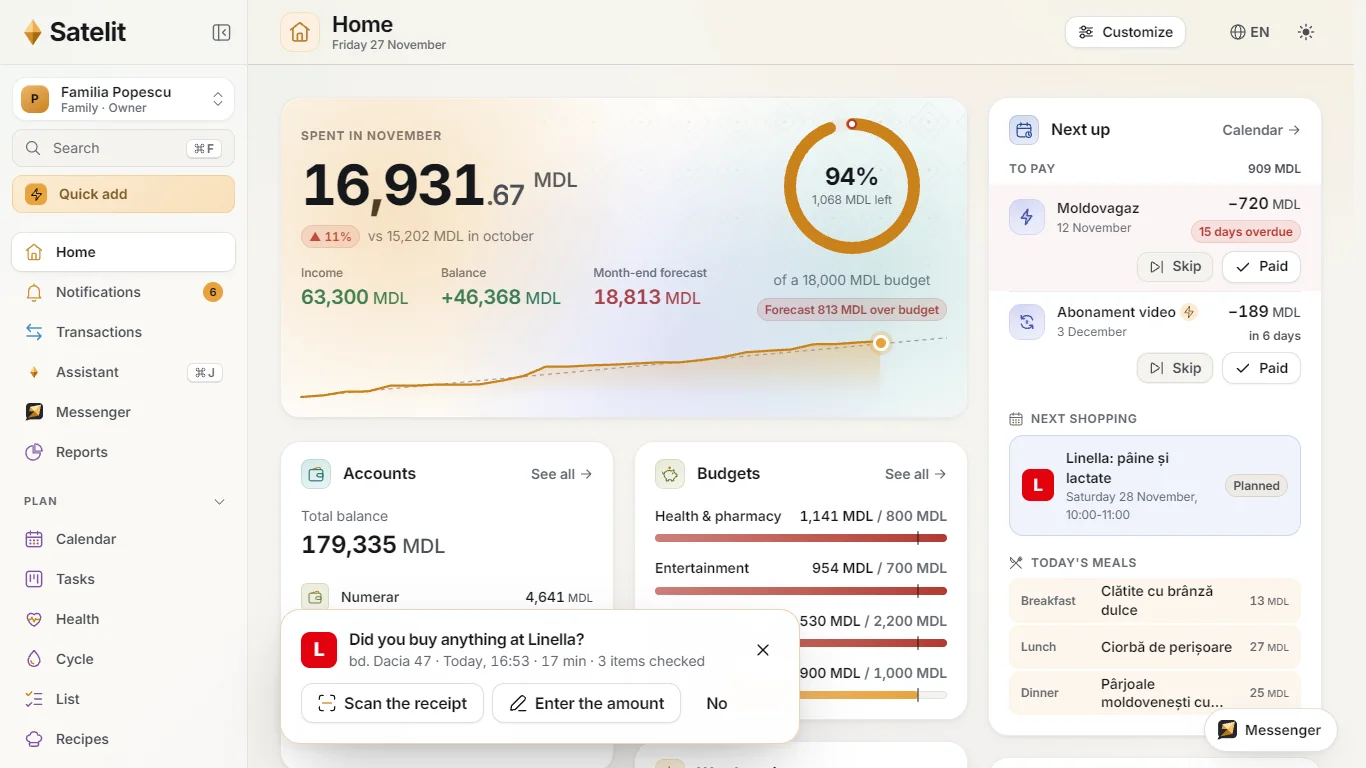
The web app is Satelit opened in the browser, at https://app.satelit.md. It has all the app's screens: expenses, budgets, lists, recipes, prices, the Satelit AI assistant and the account settings.
It is a progressive web app (PWA). That means three concrete things:
- you can install it on your home screen, like any app;
- it also opens without internet, after you have opened it once online;
- it updates itself, without downloading anything from the app store.
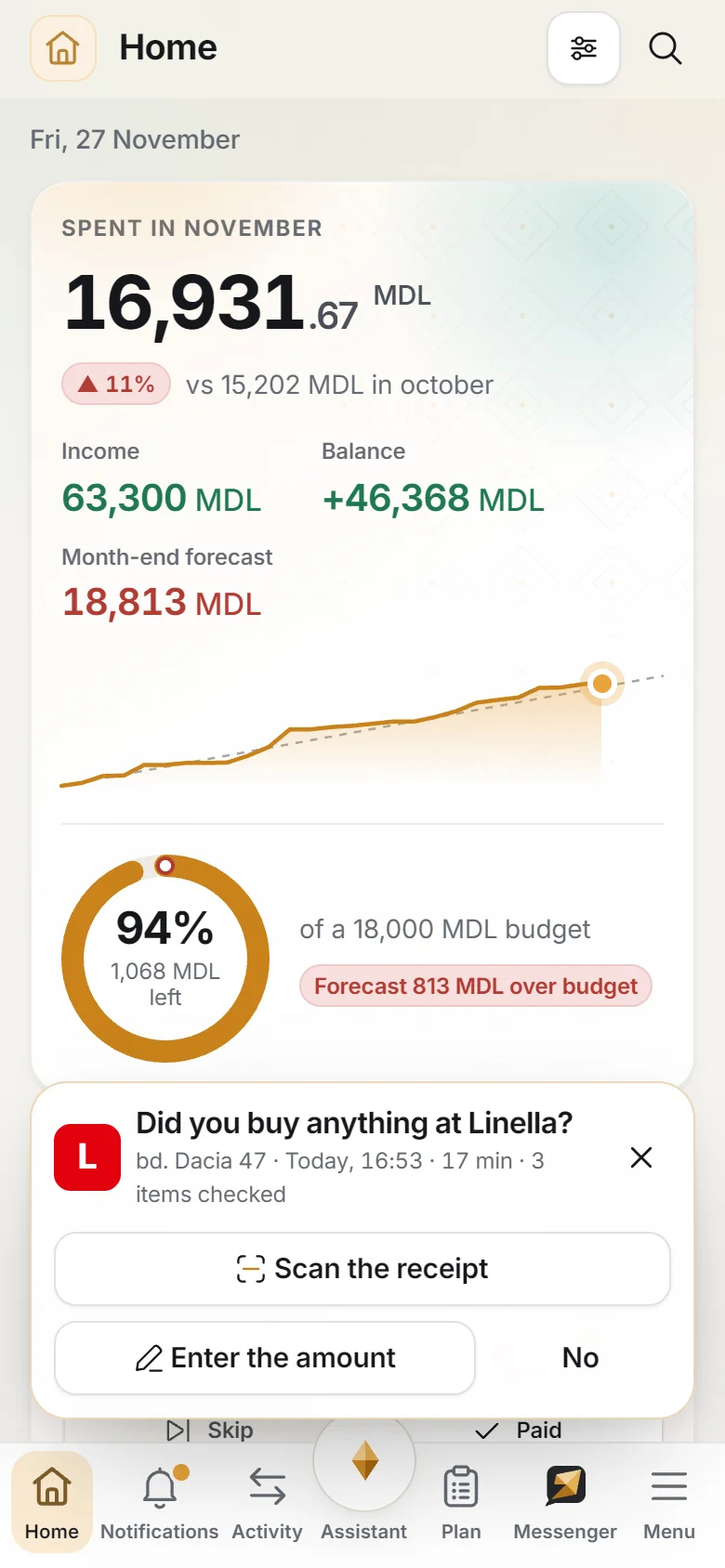
The same app is also behind Satelit's other forms: it opens in Telegram, and the Satelit app for Windows also shows app.satelit.md in its window. The list of all the apps, with their status in the stores, is at https://satelit.md/ro/aplicatii.
Which browsers does it work in?
The app works in up-to-date browsers, on phones and computers: Chrome, Edge, Safari, Firefox and others.
A few features depend on the browser:
| Feature | What you need to know |
|---|---|
| Passkeys | You can create them in up-to-date Chrome, Safari or Edge. If the browser cannot, the app tells you. |
| Notifications on iPhone and iPad | They work only from the app installed on the home screen. |
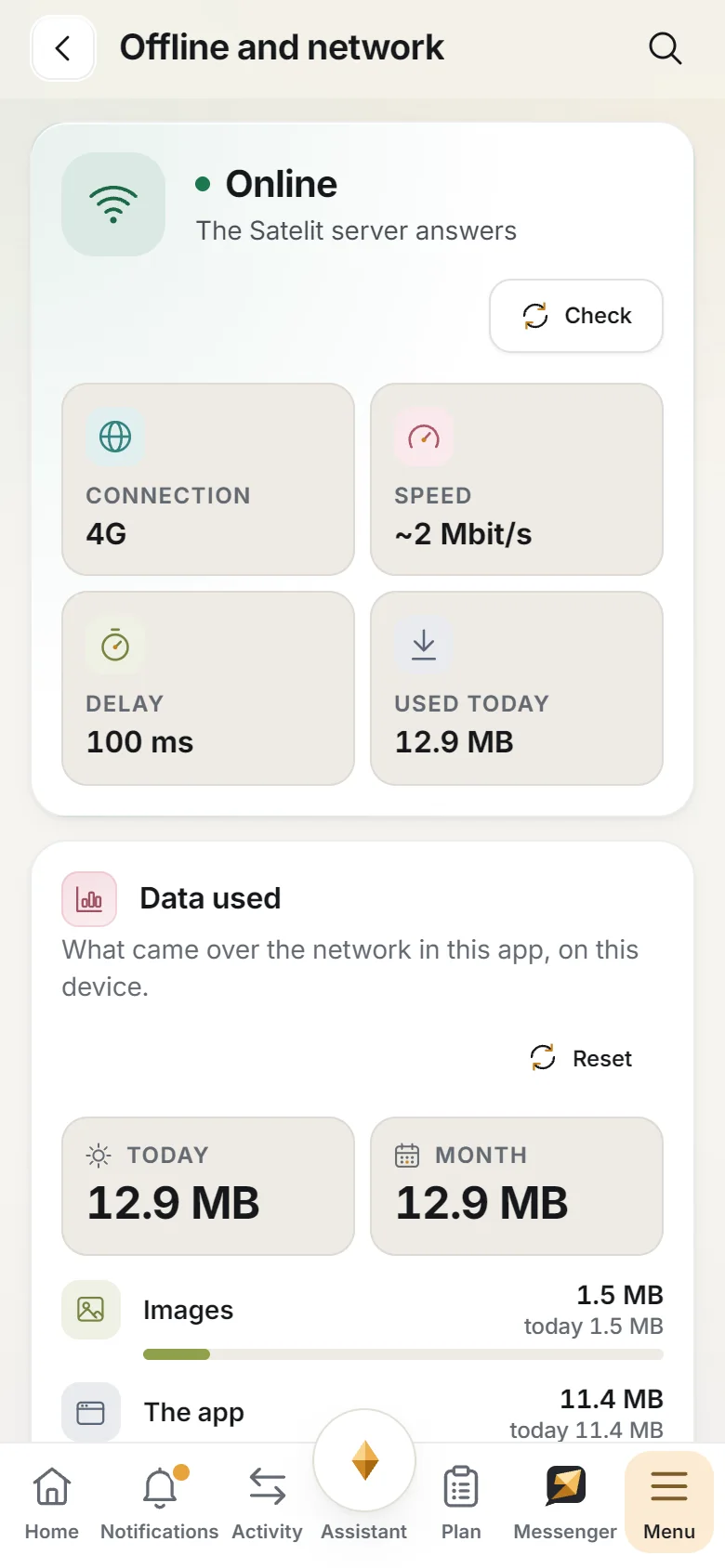
| Connection type and speed | Chrome, Edge and Android show them. Safari and Firefox do not give them to the app. |
| Space for offline data | The browser decides it. Installed on the home screen, the app usually gets more. |
How do I install the app on my home screen?
Installing puts the Satelit icon on your screen and opens the app in its own window, without the browser bar.
On iPhone or iPad
- Open https://app.satelit.md in Safari.
- Tap Share.
- Choose “Add to Home Screen”.
- Open Satelit from the new icon.
On Android
- Open https://app.satelit.md in Chrome.
- Open the browser menu.
- Choose the option to install the app or add it to the home screen.
On a computer (Windows, macOS, Linux)
- Open https://app.satelit.md in Chrome or Edge.
- Use the install icon in the address bar or the browser menu.
- Satelit appears among the computer's apps and opens in its own window.
On a phone, a long press on the installed icon shows shortcuts: Asistent (Assistant), Adaugă rapid (Quick add), Carduri de reducere (Discount cards) and Adaugă cheltuială (Add expense), where the system shows web app shortcuts.
What extra does the installed app do?
The installed app works the same as in the browser, with a few advantages:
- starts without internet: after the first opening online, the app opens from what it has kept on the device. The details are in Without internet;
- receives what you share: on devices that allow it, Satelit appears in the Share menu and receives text, links and images;
- notifications: on iPhone and iPad, only the installed app can receive them;
- data kept permanently: in Settings → Offline and network you can press Keep data permanently. If the browser does not allow it, you see “The browser does not allow it now. Install the app and try again.”
How does it update?
The web app updates itself, with no message and no button to press. The new version downloads in the background. It is applied at start-up, when the app is not on screen or after 15 seconds in which you touch nothing.
The update waits while you have something in progress: text typed in a field, an open window, an upload or changes that have not yet reached the server. You do not lose what you are typing.
What happens to my data on the device?
The app keeps a copy of your data on the device, so that it also works without internet. When you press Sign out, Satelit deletes everything related to the account from the device: the data saved offline, the cached files and the notifications. Only the theme and the language remain. More in Privacy and security.
If something goes wrong
I do not see the install option
Not all browsers show it. On iPhone and iPad, use Safari. On Android and on a computer, try up-to-date Chrome or Edge.
The installed app does not open without internet
The app must be opened once with internet on that device, so it can keep its files. Open it online, wait for it to load, then try again.
I do not get notifications on my iPhone
Notifications work only from the installed app. Add it to your home screen from Safari and open Satelit from the icon on the screen.
I see an old version of the app
Close the app or switch to another app and come back. The new version is applied when Satelit is not on screen.
The Google sign-in button does not work inside an app
Some services do not allow signing in inside an app's own browser. Copy the address and open it in Chrome or Safari.
Frequently asked questions
Do I need to install anything to use Satelit?
No. The app works directly in the browser, at https://app.satelit.md. Installing it on the home screen is optional and makes it handier.
Which browsers does the web app work in?
In up-to-date browsers: Chrome, Edge, Safari, Firefox and others. Some features depend on the browser, for example passkeys or network information.
How do I get the new version of the app?
On its own. The new version downloads in the background and is applied at start-up or when the app is not on screen, without losing what you are typing.
Why do I not get notifications on my iPhone?
On iPhone and iPad, notifications work only from the installed app. Add it to your home screen and open Satelit from there.
Is the web app the same as the one in Telegram?
Yes. Telegram opens the same Satelit app, with the same account and the same data.
Can I send a photo or a link straight to Satelit?
Yes, after installing it, on devices that allow it: Satelit appears in the phone's Share menu and receives text, links and images.
Read next
- Getting started with SatelitWhat Satelit is, how to create an account, sign in with email, Google, Apple, Facebook, Telegram or a passkey, and what to do after you first sign in.
- Satelit without internetWhat you can do in Satelit without internet, how expenses and lists added offline are saved and how they go to the server once the network is back.
- Privacy and securityHow Satelit protects shop passwords, requests between the app and the server, and your account: who sees what in the family, devices, 2FA, passkeys.