Shopping lists and price comparison
In short
Everyone in the family has the Satelit shopping list: anyone can add and check off products. You tap Prices and see the cheapest in-stock offers from Moldova's online shops, and in Compare you put up to 4 products side by side. Satelit does not place orders: you do the buying.
What is the shopping list in Satelit?
The shopping list is the family's shared list of what needs buying. Anyone in the family adds and checks off products, and the others see the changes. You find it in Menu, in the Plan group, under the name List.
Each family has a Main list. You can also make others, for example for the pharmacy or for a birthday, with New list.
How do I add products?
You add products by typing them, dictating them or taking them from the menu.
- Open List.
- Type in the What to buy? field, for example “2 l milk, bread, 1 kg chicken”.
- Tap Add. Satelit splits the products and sets their quantity and category.
- To speak instead of typing, tap Dictate.
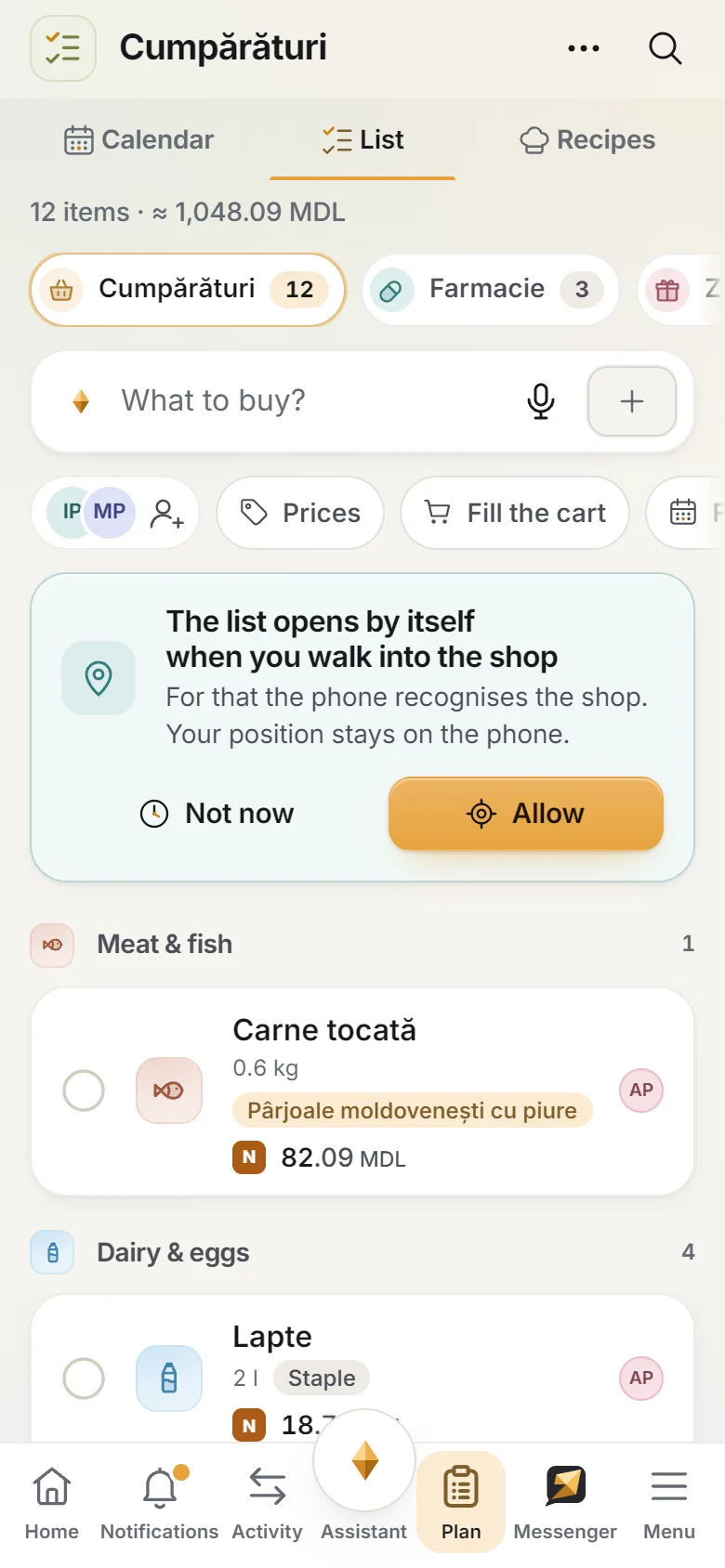
Ingredients for planned meals come in with From this week's menu. Each product shows where it came from: Added by hand, From the menu, From a recipe, From the assistant, Staple or Price watch. Tap a product to change its Quantity, Unit, Category or to write a Note, for example the brand you want.
How do I check off what I bought?
In the shop, tap the product or swipe it sideways and choose Check. Next to the product you see who checked it. When everything is taken, “Done, everything is in the cart.” appears. With Clear checked you remove what you bought from the list.
If you have turned on shop visits, the list can open by itself when you walk into a shop you have products for. The phone's location does not leave the device: the server only learns that you are in a certain shop. Only you see your visits, and they are deleted after 30 days. You can turn them off in Settings.
How do I see where it is cheaper?
The Prices button looks up the cheapest in-stock offers for what needs buying. The steps are above, under “How to find out what your shopping list costs”.
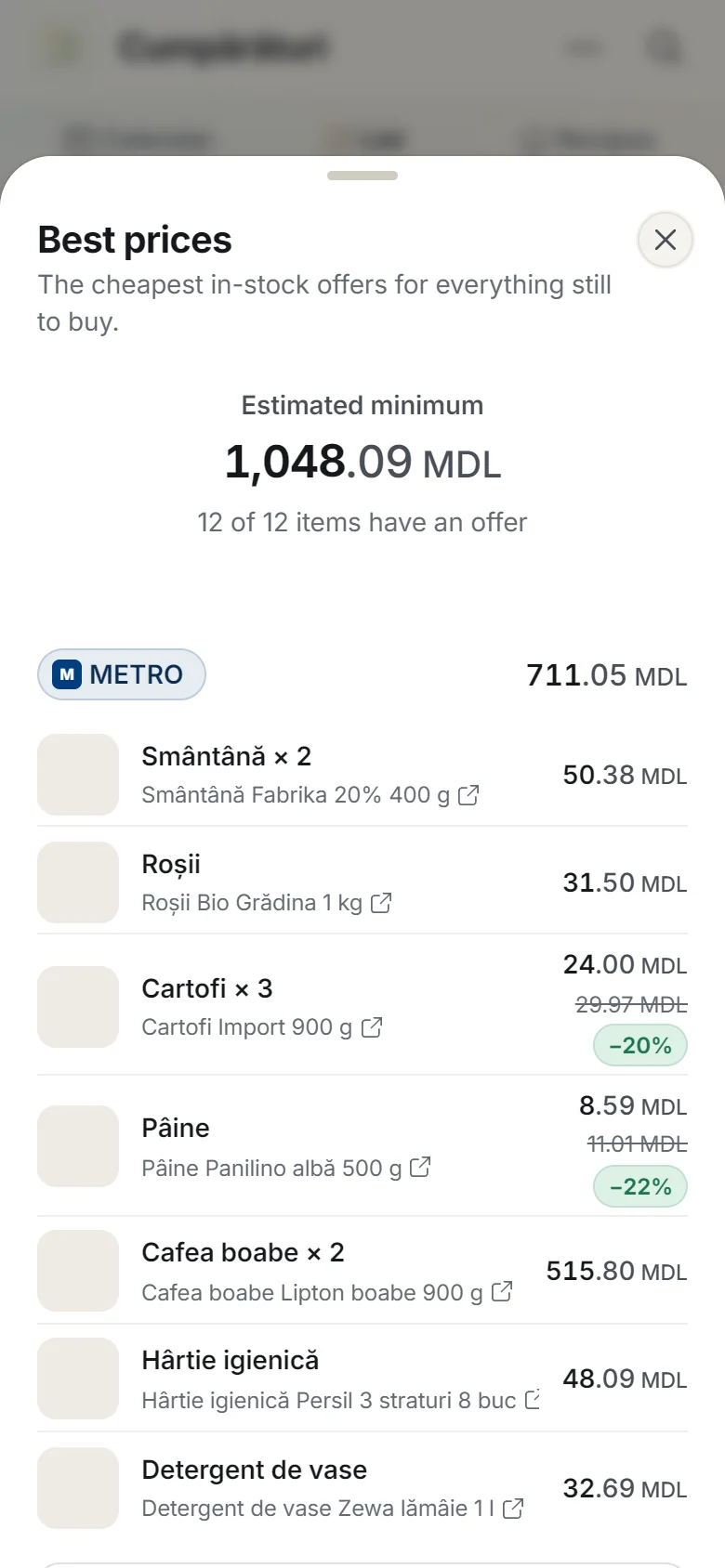
For a single product, open it and tap Find the best price. You see Best price right now and can tap Open in store. If there is no offer, “No offer in stock found.” appears.
How do I compare products with each other?
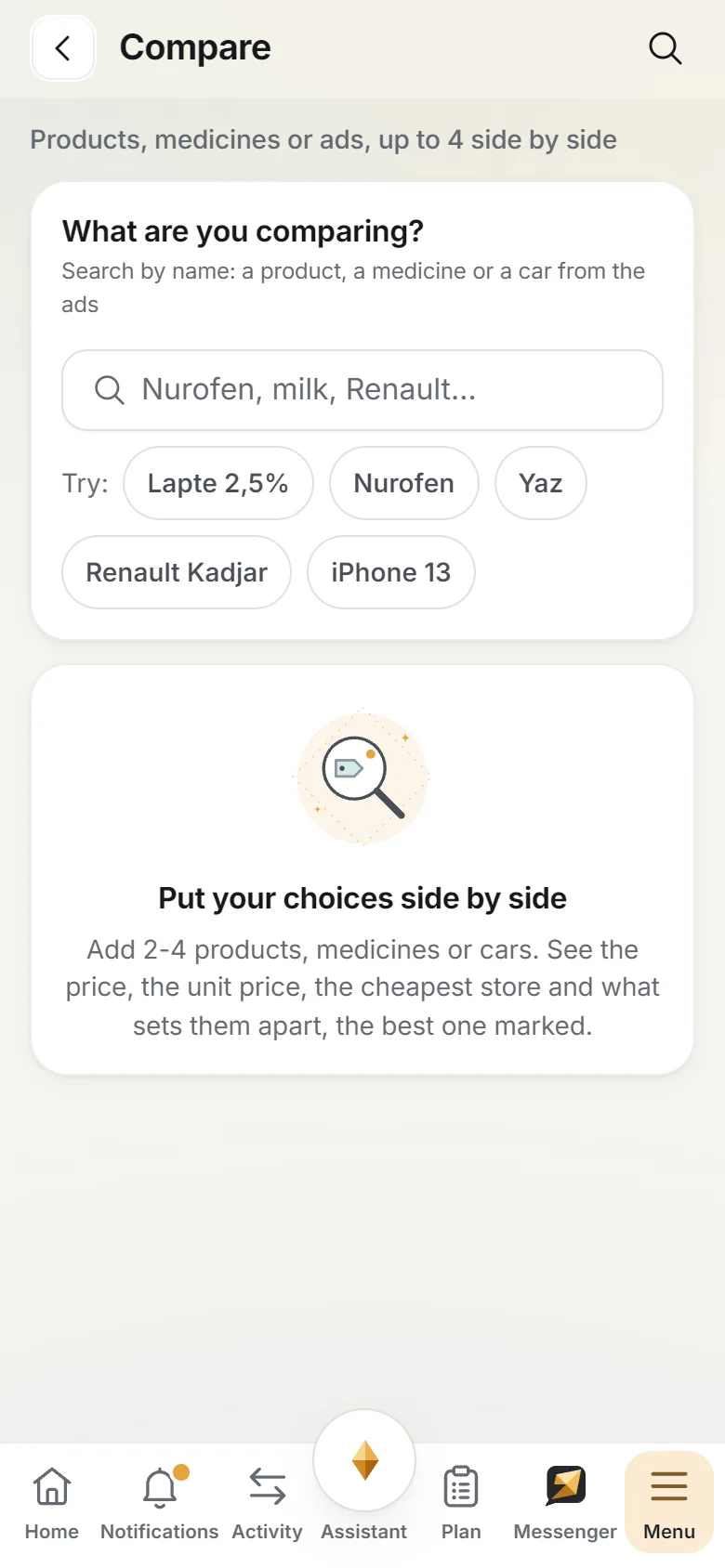
Compare puts between 2 and 4 things of the same kind side by side: products, medicines or listings from 999 and Makler.
- Open a product and tap Compare, or open the Compare screen directly.
- Tap Add one more and search by name, for example “milk”.
- Read the table. The best row is marked the best, and under In short you see, for example, Cheapest and Cheapest per kg or l.
For products you see the lowest price, the cheapest shop, the price per kilogram, litre or piece and, for food, a health score Satelit calculates from the ingredients. For medicines you see the price per tablet; the comparison does not replace the advice of a doctor or pharmacist. Prices are today's prices from online shops. The comparison is kept only on your device.
How do I share a list?
A list can be given to the family, to chosen people or to a friend outside the family.
- Open the list and tap Share.
- Under Who has this list you see who has it now.
- Tap Invite a friend and send the link. The friend sees only this list, nothing else from the family.
The link for a friend works once, for 7 days. The friend can add and check off products but cannot rename or delete the list. You can remove them at any time with Remove. The whole family always has the main list.
Can I fill the shop's cart from the list?
The Fill the cart button puts the list's products in your cart at a connected shop and never places the order. For now, shop connections are off: “Purchase history and shop carts are coming back soon.” Prices and comparison work without a connection too. Details in Shop connections.
If something goes wrong
Under Prices some products show “No offer”
The online shops do not have that product in stock right now, or the name is too general. Open the product and add a Note with the brand or size, then tap Find the best price again.
The friend's link says “The link no longer works”
The link has been used, has expired or was cancelled. Send a new link from Invite a friend.
I cannot delete a list
The main list cannot be deleted. Make another one main with Make it the main list, then delete the old one.
Compare says “The comparison already has 4.”
Remove a product from the table, then add another.
Frequently asked questions
Can I type several products at once?
Yes. Separate them with commas, for example “2 l milk, bread, 1 kg chicken”. Satelit splits them and sets the quantity and category of each.
Who sees the shopping list?
The whole family always has the main list. A new list can be closed so that only chosen people have it, or given to a friend who sees only that list.
Does Satelit order the products for me?
No. Satelit shows prices and, where possible, puts the products in the shop's cart. You place the order yourself, in the shop's app or website.
How many products can I compare?
In Compare you put between 2 and 4 products, medicines or listings side by side, one kind at a time.
What does Estimated minimum mean?
It is what the list would cost if you bought each product at the cheapest in-stock offer found right now in the online shops.
Can I build the list from the week's menu?
Yes. Tap From this week's menu: the ingredients of planned meals with recipes go into the list, and those already there are updated.
Read next
- Shop connectionsWhich shops can be linked to Satelit, what is imported from them, how login details are kept encrypted and why Satelit never places orders.
- Family, boards and rolesHow to invite members to the family or a board, what the Owner, Admin, Member and Viewer can do, and how to add a child to the family.
- Satelit AI: the assistant and voiceWhat Satelit AI can do with the family's money, lists and prices, how you talk to it, what needs your confirmation and how plan tokens are used.