Satelit Box and ESP32 speakers
In short
Satelit Box is Satelit's voice assistant for the home: you say “Satelit” and your question, and it answers by voice, from the family account. Satelit's own speaker is in development and not on sale yet, but the Satelit firmware already runs on compatible ESP32 speakers, which you connect from the app with a 6-digit code.
What is Satelit Box?
Satelit Box is Satelit's voice assistant for the home: you say “Satelit” and your question, and it answers you by voice, from the family account. It knows what Satelit knows: today's prices, the shopping list, the budget, the calendar.
Today there are two kinds of devices:
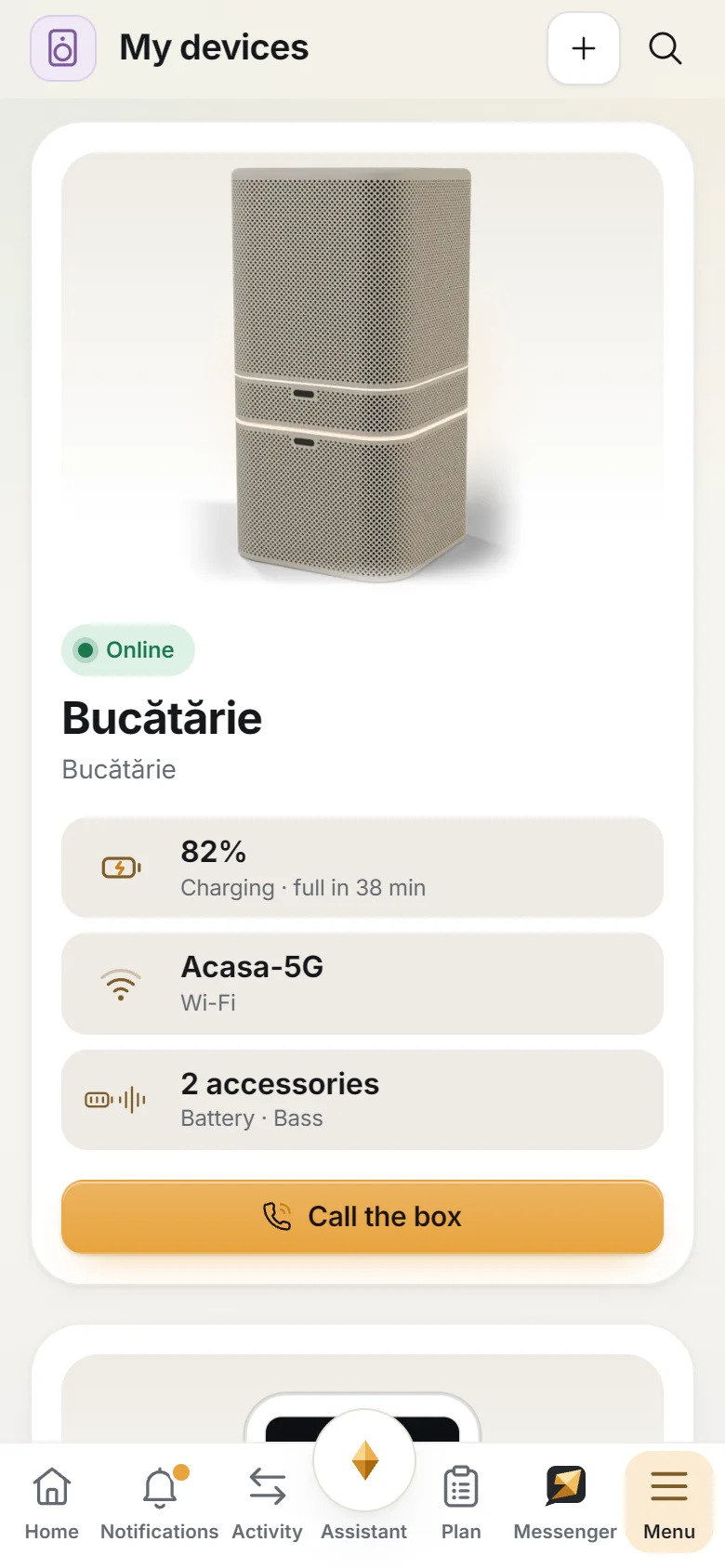
- Satelit Box, the speaker designed by Satelit, with a glowing diamond on top, two microphones and slices that clip on underneath (battery, bass, sensors, phone stand). You print the case yourself, and the files are free on satelit.md. The speaker is in development and not on sale yet; the app shows “Not on sale yet · preorder list”.
- ESP32 speakers running Satelit, devices already on sale (toys, desk speakers, kits) that run the Satelit firmware. These work today.
Both appear in the Satelit app, under My devices.
What can I ask it?
You ask it as you would ask someone at home, in ordinary sentences. A few examples:
- “How much is diesel today?”
- “How much is one euro?” — today's BNM exchange rate.
- “Where is milk cheapest?”
- “What shall I cook tonight?”
- “Put eggs and butter on the list.”
- “How much have I spent on food this month?”
- “I paid 340 lei at Linella.”
- “Set a 10-minute timer.”
- “Tell a story for children.”
- “Play music.” — music from your connected account; without an account, radio.
Music commands (stop, pause, next, louder, quieter) run straight away. Store orders are not placed on their own: Satelit prepares the basket, you place the order.
How do I connect an ESP32 speaker?
An ESP32 speaker is linked to the family with a 6-digit code that it says out loud. Only a family administrator can connect it.
- On a phone with Android 10 or newer, install the Satelit Difuzor setup app.
- Put the speaker in Wi-Fi setup mode. At its first start it enters it by itself; otherwise, hold BOOT pressed while it starts.
- In the app, tap “Găsește difuzorul” (Find the speaker). The phone asks for location permission: without it, Android does not show the networks around you. Choose the speaker, then your home Wi-Fi.
- The speaker receives the Satelit firmware, updates and restarts. Then it downloads the voice package and restarts once more. This takes a few minutes.
- The speaker says a 6-digit code.
- In the Satelit app, open My devices → “Add a device” → “ESP32 speaker”, enter the code and tap “Connect”.
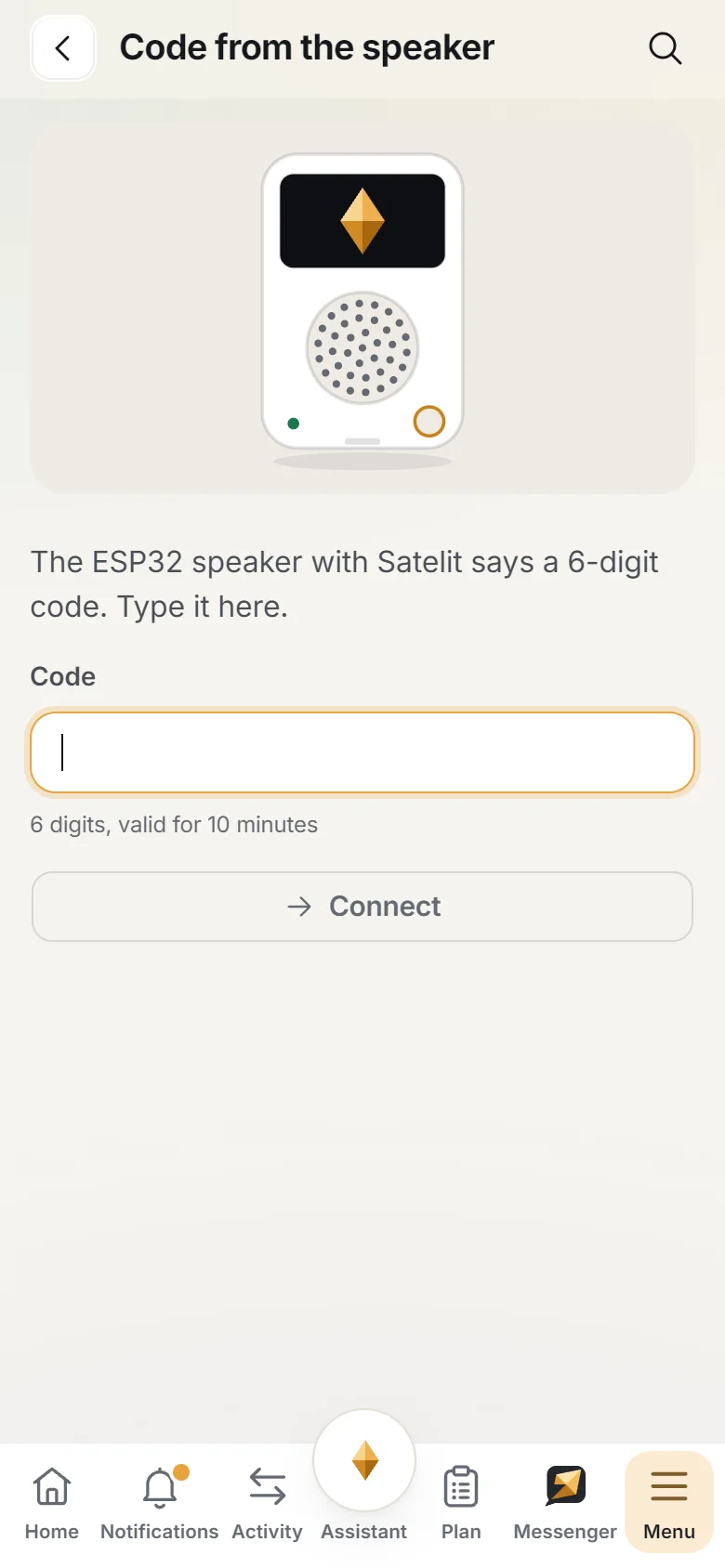
The code is valid for 10 minutes. Which boards are compatible and how to find out which board you have: the compatible devices page on satelit.md.
How will Satelit Box connect?
Satelit Box connects from the app in 3 steps, also by a family administrator:
- “Scan the code on the box”: the QR code is under the speaker and on the packaging, or you enter the 8-character code of letters and digits after SBX.
- “Give the box Wi-Fi”: when the diamond pulses slowly, you join the speaker's network and choose your home Wi-Fi on its page.
- The speaker appears in the app, ready to call. You give it a name and a room.
The Wi-Fi password stays on the phone and on the speaker; it does not pass through the Satelit server.
What else can I do from the app?
From the device's page, under My devices:
- Call the box: you talk to the people at home through the speaker. Under “When you call it” you choose “It rings” or “It answers itself”, like an intercom. A call lasts at most 30 minutes.
- Sound and light: the volume, the light, “Do not disturb” and “Quiet every night”.
- The speaker's chat: you choose whether what is said goes to the family chat or to the private chat of the person who connected it.
- Recognise by voice: after you record your voice, the speaker recognises you and answers from your data. Another voice gets nothing private.
- The speaker's screen: what it shows while it waits (Satelit, clock, weather, calendar, list, exchange rate).
What happens to my voice?
Only name recognition runs on the device. With the name “Satelit”, nothing leaves before the name.
- With a name you chose yourself, the roughly 2 seconds that sounded like it go to the server for confirmation; what is not the name is deleted at once.
- The sound of requests is not kept. The text of requests stays for 30 days and you can delete it.
- The sound of calls to the speaker is not kept.
- On Satelit Box, the switch on the back cuts power to the microphones.
- In the family chat, personal data stays closed.
If something goes wrong
The speaker does not appear under “Găsește difuzorul” (Find the speaker)
Check that it is in setup mode and that the phone has Location turned on and location permission given. Without them, choose “Alege din lista telefonului” (Choose from the phone's list) and join the speaker's network manually.
The code no longer works
The code is valid for 10 minutes. After that, the speaker receives a new code from the server and says it; enter the new one in the app.
I do not see the connect button
Only a family administrator connects devices. Ask an administrator to add them.
The speaker shows as “Offline”
The device is off or has no Wi-Fi. Check the power socket and the home network. On Satelit Box, settings changed in the meantime are applied when the speaker comes back online.
Frequently asked questions
Can I buy Satelit Box?
Not yet. Satelit Box is in development; on satelit.md you can join the preorder list, and the files for the case can be downloaded free.
Which speakers work with Satelit today?
ESP32 boards compatible with the open-source xiaozhi project: ready-made toys and desk speakers, kits and development boards. The list of compatible devices is on satelit.md.
Is the speaker listening to me all the time?
Only name recognition runs on the device. With the name “Satelit”, nothing leaves before it.
Are recordings of my voice kept?
The sound of requests is not kept. The text of requests stays for 30 days and you can delete it.
Who can connect a speaker?
Only a family administrator. The 6-digit code is valid for 10 minutes.
Does the speaker answer with my private data?
Only if you chose that. In the family chat, personal data stays closed; a recognised adult's voice gets answers from their own data.
Read next
- Satelit AI: the assistant and voiceWhat Satelit AI can do with the family's money, lists and prices, how you talk to it, what needs your confirmation and how plan tokens are used.
- Shopping lists and price comparisonHow to make a shopping list in Satelit, share it with your family or a friend, and see where it is cheaper in Moldova's online shops.
- Family, boards and rolesHow to invite members to the family or a board, what the Owner, Admin, Member and Viewer can do, and how to add a child to the family.
- Satelit for Android and Wear OSWhat the Satelit app does on an Android phone and a Wear OS watch: widgets, emergency alerts, waking to “Satelit”, the phone's assistant.