Family, boards and roles
In short
In Satelit, money lives in a space: the family or a board for a business. You invite people with a link or by email, and each one gets a role and rights: what they see, what they add, what they edit and whether they can export. The server checks these rights on every request.
What is a space in Satelit?
A space is the shared place where a group of people keeps its money: a Family or a Board. Each space has its own name, currency, members, invites, accounts, transactions, budgets, recurring payments and reports.
The family is created when you sign up. A board is for a business and stays separate from the family. You switch from one space to another in the Choose the family or a board menu.
What roles are there?
Each member has one of four roles: Owner, Admin, Member or Viewer.
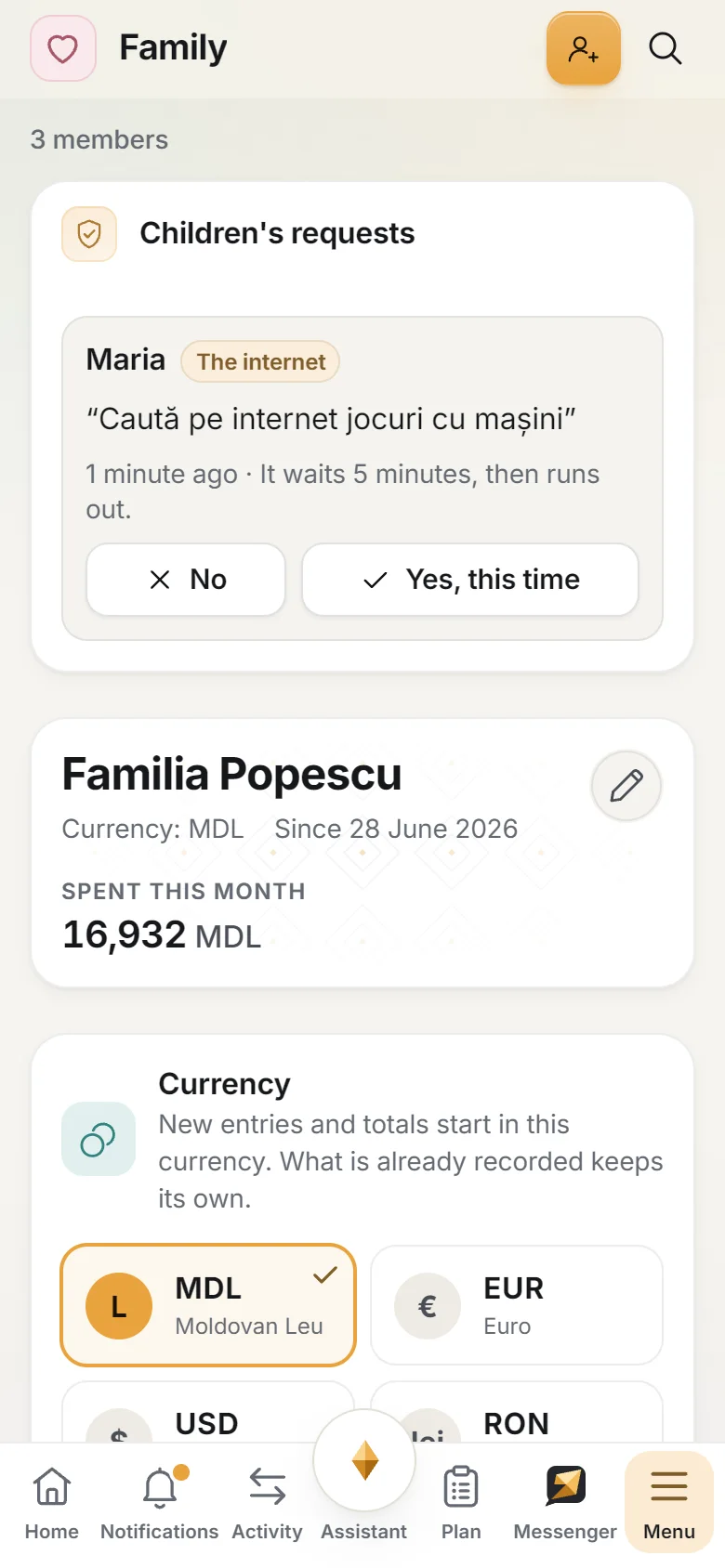
- Owner: has all rights. Only the owner can appoint an admin and can delete the space.
- Admin: everything a member can do, plus members, invites, connected accounts and budgets.
- Member: adds expenses and products to lists, plans meals, talks to the assistant.
- Viewer: sees spending and lists without changing anything.
What rights does each person have over the money?
Besides the role, each member has rights over the space's money, and the server checks them on every request: in the app, in reports, in exports and in the assistant. There are five rights:
- Sees: All records or Only own (the ones they recorded or paid themselves).
- Can add: records new transactions.
- Edits: nothing, Only own or All.
- Can export: downloads the transactions they can see.
- Managing members, invites and settings, which comes with the admin role.
Someone who sees only their own records does not see account balances, budgets or recurring payments. Other people's rows do not reach them in reports, in exports or through the assistant.
To change someone's rights, tap the member, then Rights, choose Role and rights and save. An owner or an admin can be changed only by the owner.
How do I invite someone?
An invite is a link you send to the person. The steps are above, under “How to invite someone to the family”.
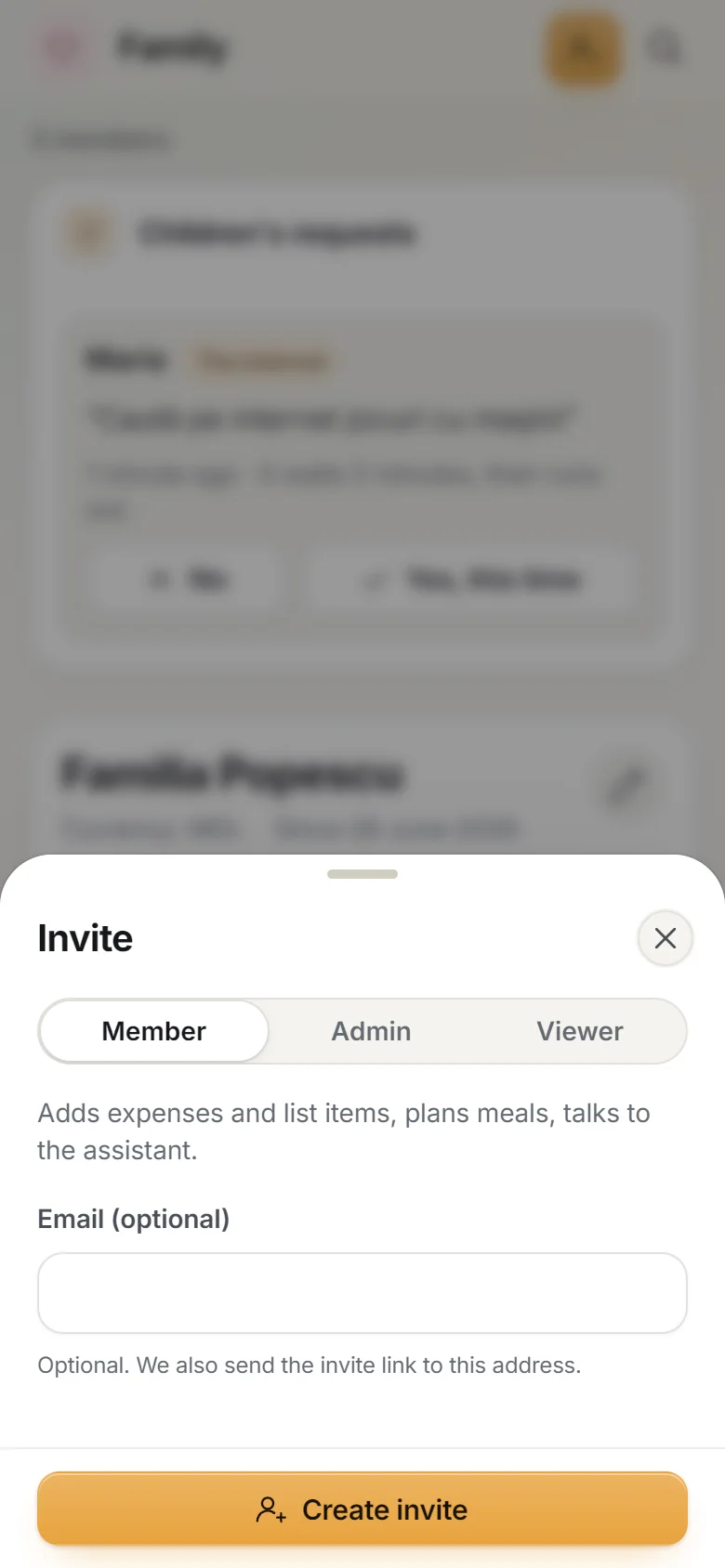
Whoever opens the link joins with the chosen role. If you entered an email address, Satelit also sends the link there, and only the account with that address can accept the invite. The person taps Join the family, or Create an account and join if they do not have an account yet.
Pending invites appear under Invites, with the date they expire. From there you have Show QR code, Copy and Cancel invite.
How do I create a board for a business?
A board is a separate space, with its own members, accounts, transactions and reports.
- Open Choose the family or a board.
- Tap New board.
- Enter the Board name and choose the Currency.
- Tap Create the board.
On a board, roles are chosen as ready-made sets of rights:
- Partner: sees and edits everything, invites people.
- Collaborator: sees everything, adds, edits only their own records.
- Employee: adds, sees and edits only their own records.
- Accountant: sees everything and exports, does not add.
- Custom: you choose each right.
In reports that combine several spaces, amounts in lei and in euros are never added together: each currency has its own total.
How do I add a child?
A young child without a phone is added as a person without an account.
- In Family, under Adults and children, tap Add.
- Enter the Name, choose Child under Who and, optionally, the Year of birth.
- Save.
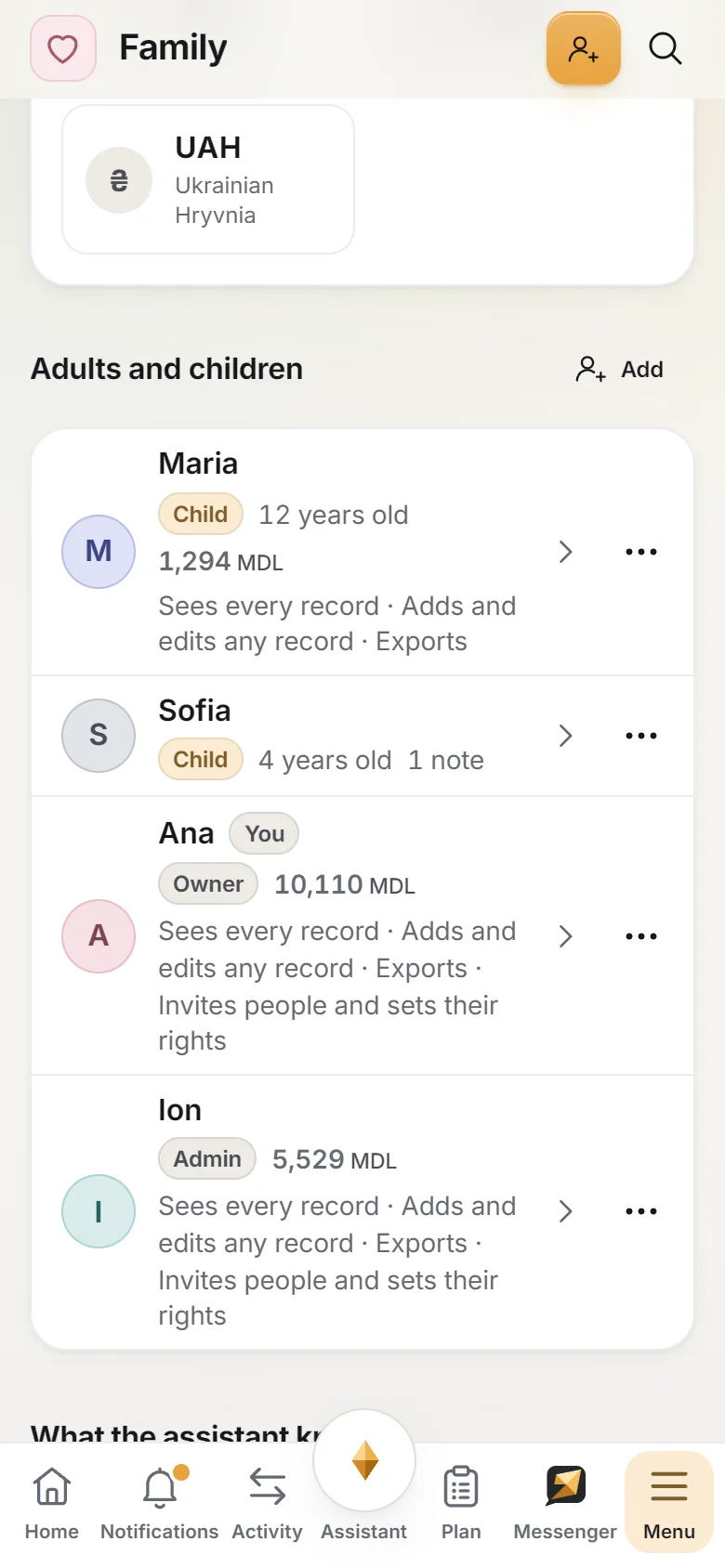
Children get answers from the assistant suited to their age. A parent (an owner or admin who is not a child) can set rules by category: Songs, stories, videos, The internet, People outside the family, Spending and carts, After bedtime. For each one they choose Ask a parent, Block or Allow, optionally only between certain hours.
When a child asks for something that needs consent, the parents get a request with the buttons Yes, this time and No. Without an answer in 5 minutes, the request expires. Calls through the assistant never start for a child. If you see “Rules for children are not on yet. You can set them up now.”, the rules can be prepared but do not apply yet. Whatever the rules, a child's voice cannot spend money, fill the cart or send anything outside the family. More about the assistant: Satelit AI and voice.
If something goes wrong
I do not see the Invite button
Only the owner and admins can invite. Ask an admin to send the invite or to change your role.
The link says “This invite is no longer valid.”
The link has expired, has been used or was cancelled. Ask the person who invited you for a new link.
The invite is for another address
The message “This invite is for … Sign in with that account to accept it.” means the invite was sent to another email. Tap Use another account and use the address that received it.
I cannot leave the family
If you are the only owner, you cannot leave. The family closes only together with your account, from Settings.
Frequently asked questions
What is the difference between Admin and Member?
An admin can do everything a member can, plus manage members, connected accounts and budgets. A member adds expenses and products to lists, plans meals and talks to the assistant.
What can a member with the Viewer role do?
They see spending and lists without changing anything. The role suits grandparents, for example.
How long is an invite valid?
The invite link expires in 7 days. An admin can cancel it earlier from the Invites section.
What is a board?
A board is a space separate from the family, for a business, with its own members, accounts, transactions, budgets and reports. One person can own at most 10 boards.
If I remove someone from the family, are their expenses deleted?
No. The person keeps their account but no longer sees the family's data. The expenses they added stay.
Can a child spend money through the assistant?
No. When the voice is a child's, the assistant does not make purchases, does not fill the cart, does not use the smart home and sends nothing outside the family.
Read next
- Money and budgetsHow to record spending and income in Satelit, add accounts, set a monthly budget and category limits, and read your reports.
- Satelit AI: the assistant and voiceWhat Satelit AI can do with the family's money, lists and prices, how you talk to it, what needs your confirmation and how plan tokens are used.
- Shopping lists and price comparisonHow to make a shopping list in Satelit, share it with your family or a friend, and see where it is cheaper in Moldova's online shops.