The Satelit browser extension
In short
The Satelit extension shows you, at a click on its icon, what the product on the open page costs in other stores in Moldova, who the seller of an ad is, who else is writing about a news story and whether a law is in force. The icon is coloured when Satelit has data about the page. It installs free from Chrome Web Store, Firefox Add-ons or the App Store and needs a Satelit account.
What does the Satelit extension do?
The Satelit extension shows you what Satelit knows about the page you are reading, in a window that opens at a click on its icon. Nothing appears on the pages: everything the extension shows stays in its window.
| Open page | What you see at a click |
|---|---|
| A product in an online store | the price in other stores, the price history, reviews of the product and of the store |
| An ad on 999.md or makler.md | the seller's rating and history, the price against the market, how the price has changed |
| A news story | how many outlets are writing, which was first, the other articles, the reaction in the comments |
| A law on legis.md | whether it is in force, in short, its details |
| Any other site | the store or company behind it, if Satelit knows it |
How do I install the extension?
The extension installs free from your browser's store.
- Choose the store:
- Chrome, Edge, Brave and Yandex Browser: Chrome Web Store;
- Firefox: Firefox Add-ons;
- Safari on iPhone, iPad and Mac: App Store.
- Press the add button and confirm the permissions.
- Pin the Satelit icon to the browser bar.
- Click the icon, then “Sign in to Satelit”. You sign in on satelit.md, with your Satelit account.
For Opera, the extension is still waiting for the store's approval and appears on satelit.md with the “Coming soon” label. Firefox must be version 142 or newer.
How do I see prices in other stores?
The Satelit icon is coloured when Satelit has data about the open page and black and white when it does not.
- Open a product page in an online store in Moldova.
- Look at the Satelit icon in the browser bar.
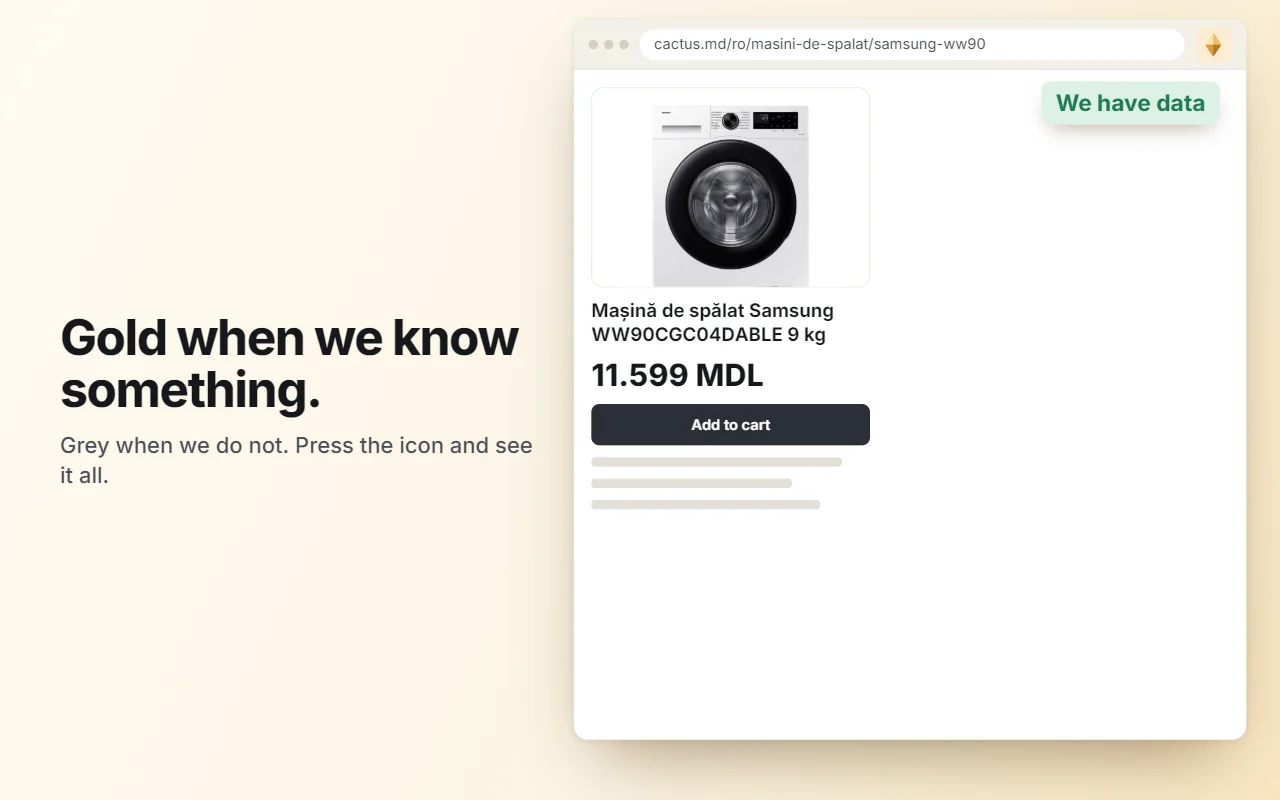
- If it is coloured, click it. The window shows the product's price in the other stores and the price history.
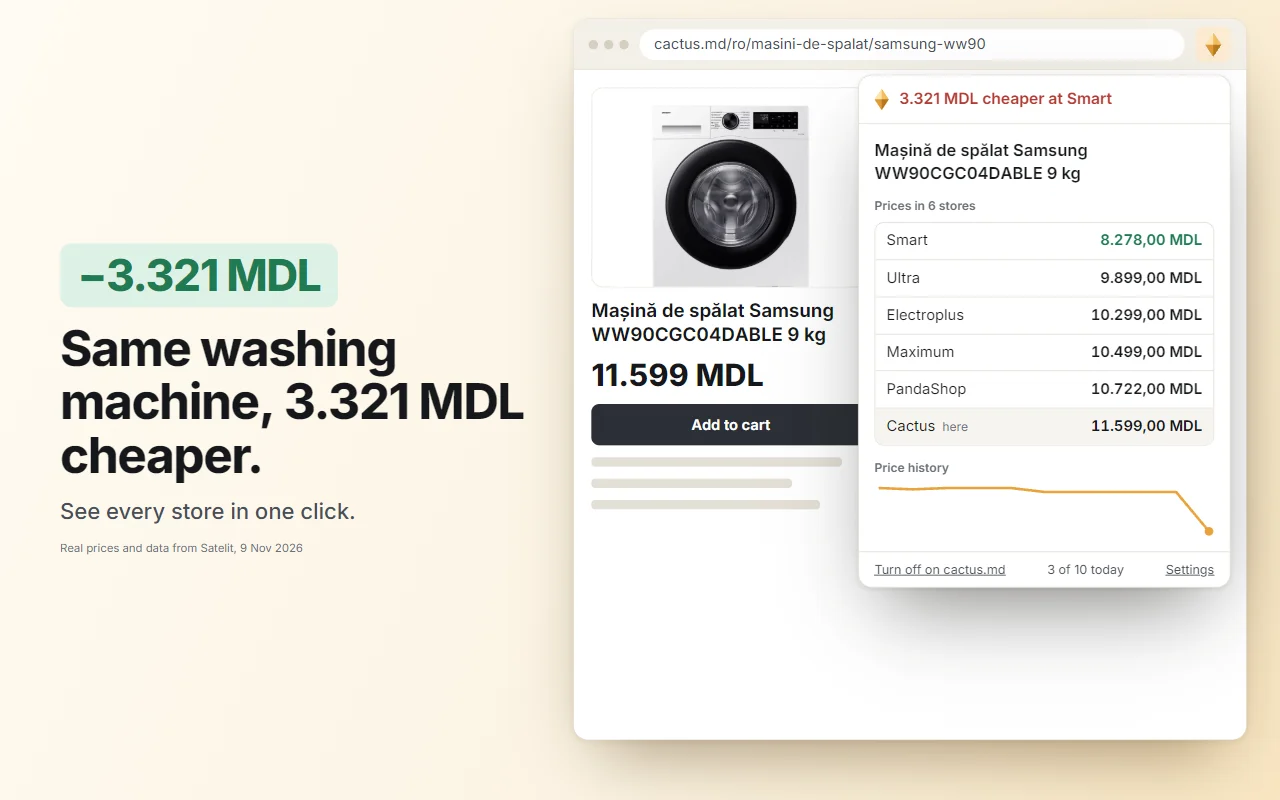
At the bottom of the window you see how many pages of your limit you have used today, the “Turn off on …” button for the open site and Settings.
How many pages can I open a day?
The limit counts the pages you ask for data about in one day, by Chișinău time.
| Plan | Pages a day |
|---|---|
| Free account | 10 |
| Family | 40 |
| Family Plus | 99 |
| Family Max | 150 |
A page opened several times on the same day counts only once. Without an account, the extension only tells you whether Satelit has data about the page.
Which permissions does the extension ask for, and why?
The extension asks the browser for as little as possible.
- Storage (
storage): your settings, the access key and, until you close the browser, the pages opened today. - Active tab (
activeTab): the address of the page in the open tab, only when you click the icon. - The sites on the list: so the browser tells the extension the tab's address on the sites it knows. No script enters them.
The extension does not ask for access to your history, cookies or passwords.
What data does the extension send?
While you browse, the extension sends no address. For the icon's colour, it downloads once a day a small file for each site on the list that you open and checks the page in the browser.
When you click the icon, signed in to your account, the page address is sent, without parameters and without the part after #, if Satelit has data about it. Otherwise only the site's name is sent. For basket, account, order and search pages, only the site's name is ever sent.
The server keeps only how many pages you have opened today, for the limit, without addresses. The extension has no ads, analytics or telemetry.
How do I change the extension's settings?
In the extension window, click Settings. There you choose:
- “Language” and “Theme”;
- “What the extension shows”: “Products and prices”, “Ads and sellers”, “News”, “Laws”, “Stores and companies”;
- whether the icon is coloured when there is data;
- “Blocked sites”: here the extension does not colour the icon, downloads nothing and sends nothing;
- “Only on these sites”: when empty, the extension works everywhere; with at least one site, only on those on the list.
You withdraw the extension's access to your account with “Sign out” or in Satelit's Settings, under “Connected apps”.
If something goes wrong
The icon is black and white on a product page
Satelit does not have data about that page yet, or the site is not on the extension's list. A page a store published today is usually coloured the next day. Also check that the site is not under “Blocked sites” and that the “Only on these sites” list does not leave it out.
The window asks me to sign in
Click “Sign in to Satelit” and sign in on satelit.md. If you withdrew access under “Connected apps”, sign in again.
The window says you have used today's pages
You have reached your plan's daily limit. The limit resets tomorrow, and the pages opened today stay available. “See the plans” shows the plans with more pages.
I do not see the icon in the browser bar
Open the browser's list of extensions and pin Satelit to the bar. In Chrome, Edge and Firefox, the extension does not run in private windows.
Frequently asked questions
Is the extension free?
Yes. With a free Satelit account you see the data for 10 pages a day. The Family, Family Plus and Family Max plans give 40, 99 and 150 pages a day.
Does the extension read my pages or passwords?
No. The extension has no script in pages and does not read page content, passwords, forms, cookies or history.
What is sent while I browse?
No address. For the icon's colour, the extension downloads once a day a small file for the sites on its list that you open and checks the page in the browser.
Does it work in Microsoft Edge?
Yes. Edge, Brave and Yandex Browser install the extension from Chrome Web Store.
Does it work in private mode?
In Chrome, Edge and Firefox, the extension does not run in private (incognito) windows.
What happens after I use all of today's pages?
The limit resets the next day, by Chișinău time. The pages opened today stay available, and a larger plan gives more pages.
Read next
- Shop connectionsWhich shops can be linked to Satelit, what is imported from them, how login details are kept encrypted and why Satelit never places orders.
- Privacy and securityHow Satelit protects shop passwords, requests between the app and the server, and your account: who sees what in the family, devices, 2FA, passkeys.
- Satelit for WindowsWhat the Satelit app does on Windows: the system tray, the Win+J keys, waking to “Satelit”, the widgets and controlling the PC from your phone.