Getting started with Satelit
In short
Satelit keeps the family's money, Moldova's prices and your shopping lists in view, with an assistant that remembers them. You create a free account on app.satelit.md with your email or an account you already have, then name your family, add your first expenses and invite the others with a link.
What is Satelit?
Satelit is a family app that keeps expenses, budgets, shopping lists and prices in Moldova's stores in view. An assistant, Satelit AI, remembers what you buy and can plan the week's menu from what is cheap or read receipts from a photo.
A few things it does, in short:
- collects the family's expenses, entered by hand or imported from connected stores;
- compares the price per kilogram and per litre and shows only offers in stock;
- keeps a shared list: everyone sees the same list and ticks items off in the store;
- imports orders and fills the basket at connected stores. You still place the order yourself: Satelit does not place orders for you.
How do I create my account?
You create the account at https://app.satelit.md/register, in about a minute, and it is free.
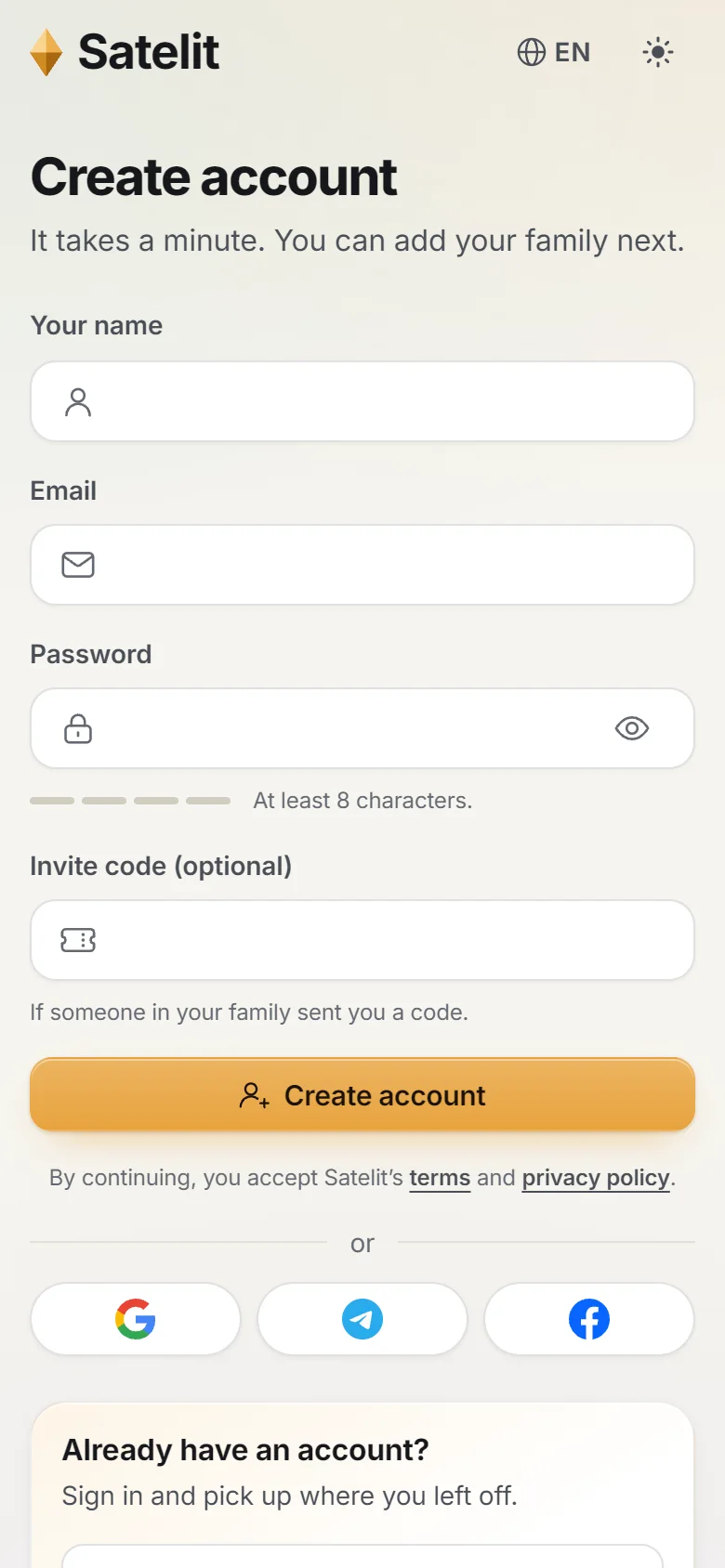
- Open the page and choose Create account.
- Enter Your name, your Email address and a Password of at least 8 characters. Below the password you can see how strong it is.
- If someone in your family has sent you a code, enter it under Invite code. If not, leave the field empty.
- Press Create account.
- The Check your email screen tells you we have sent you a link. Open it within 48 hours. The account opens only after you confirm your address.
- If you open the link in the same browser, you go straight in. If you open it in another browser, you are asked for the password you chose when you signed up.
What can I sign in with?
Satelit offers several ways to sign in. The Sign in page shows only the ones active at that moment.
| Way to sign in | How it works |
|---|---|
| Email and password | You enter your address and password, then press Sign in. |
| “Continue with Google” | You sign in with your Google account. |
| “Continue with Apple” | You sign in with your Apple ID, when the button is shown. |
| “Continue with Facebook” | You sign in with your Facebook account. If Facebook does not give us your email address, create the account with email and password. |
| “Continue with Telegram” | You sign in with your Telegram account. From Telegram we keep only your ID and name, and your phone number only if you choose to send it. |
| “Sign in with a passkey” | You sign in with the fingerprint, face or code of your phone or computer. You add it after your first sign-in, in Settings. |
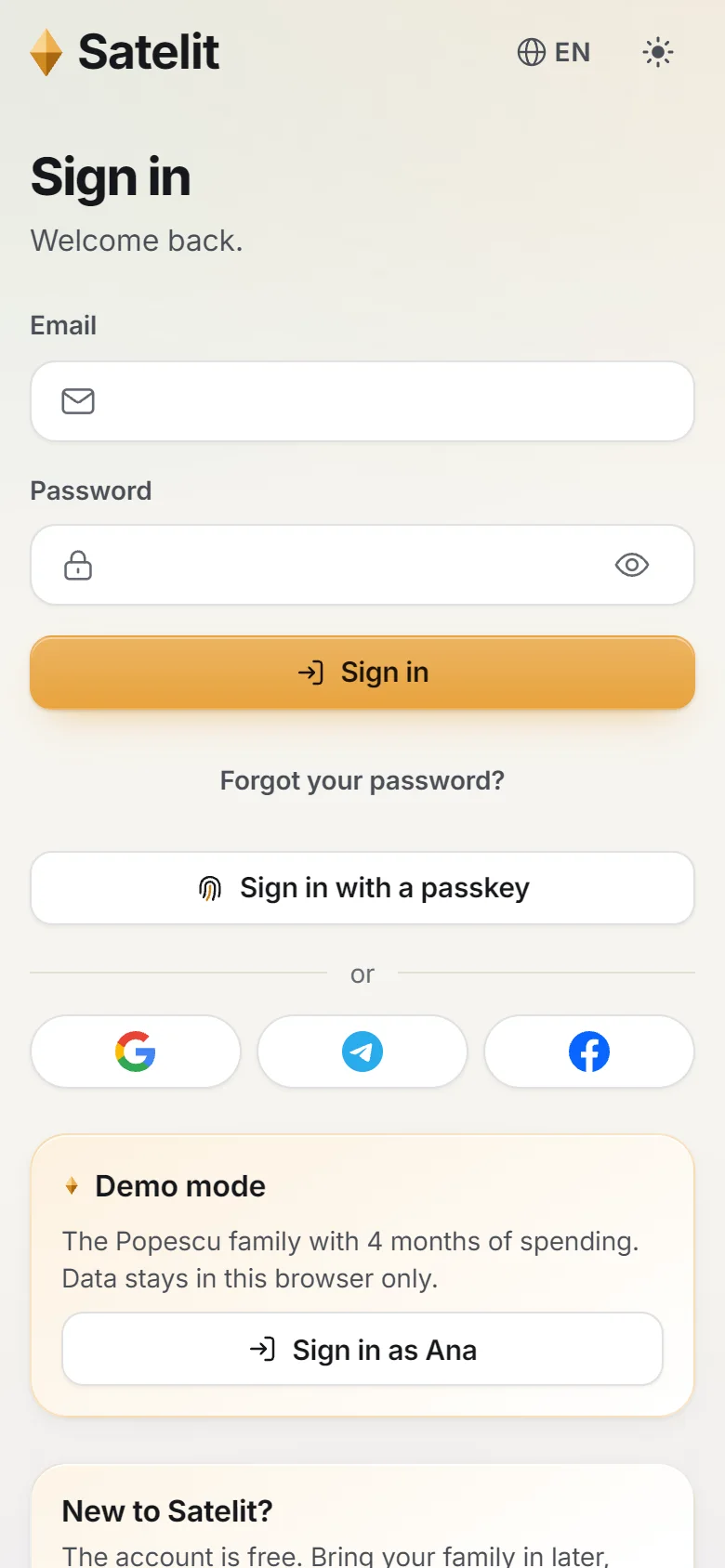
If you have turned on Two-step sign-in, after your password, Google, Facebook or Telegram you are also asked for the 6-digit code from your authenticator app. These accounts do not replace the code.
If your address already has a Satelit account created with a password, sign in with the password first. Then connect Google, Facebook or Telegram in Settings → Account and security → Connected accounts.
Which app do I choose for my device?
On any device, the simplest way is the web app at https://app.satelit.md, opened in the browser or installed on the home screen. The details are in The web app.
- Phone or tablet: open app.satelit.md and add it to your home screen.
- Computer: open app.satelit.md in Chrome, Edge or another up-to-date browser.
- Telegram: open Satelit from the Satelit bot. The app starts inside Telegram.
- Messenger Satelit: at https://messenger.satelit.md, with the same Satelit account.
For the apps in the app stores, the up-to-date list, with what is published and what is still “Coming soon”, is at https://satelit.md/ro/aplicatii. When an installed app sends you to sign in through the browser, you see Continue in your browser and a code. Confirm only if you see the same code in the app.
What do I do after my first sign-in?
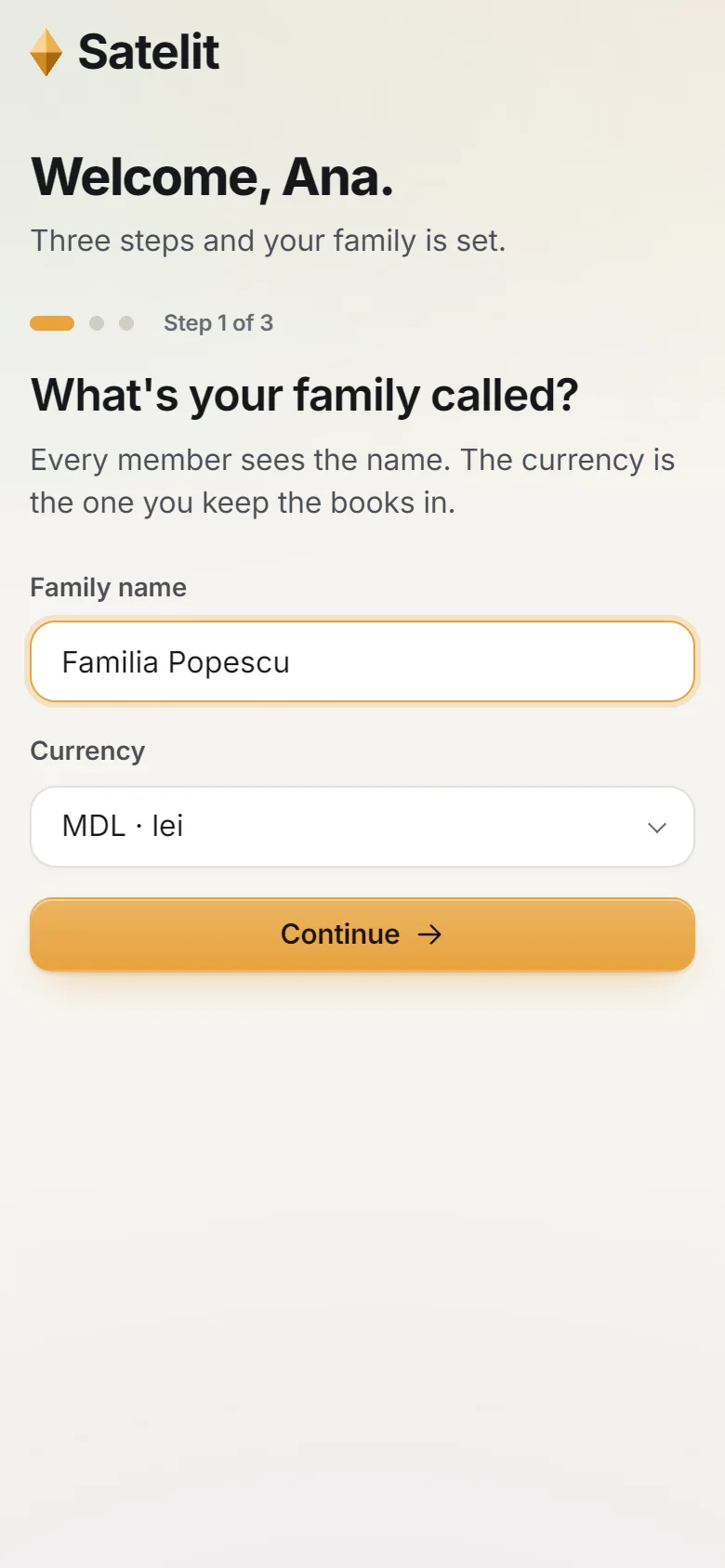
After your first sign-in, Satelit takes you through three steps: “Three steps and your family is set.”
- What's your family called? Enter the Family name and choose the Currency. All members see the name.
- Where does the spending come from? Choose Connect a store, so that orders are imported automatically, or Add the first expense: the amount, where and on what.
- Invite your family. Press Copy link or Send, or show the QR code. Each person signs in with their own account and sees the same lists and expenses. The invitation link expires in 7 days.
At the end, press Done, open the app. You can skip a step with Skip and come back to it later.
Two things are worth doing next:
- turn on Two-step sign-in or add a passkey (see Privacy and security);
- open the app once with internet on each device. That way it will also start without a network (see Without internet).
If something goes wrong
I cannot find the confirmation email
Check your Spam folder. On the Check your email screen, press Send again. If you got the address wrong, press Change the address.
The link in the email says it has expired
The link is valid for 48 hours and works only once. Request a new one with Send a new link.
I forgot my password
On the sign-in page, press Forgot your password? and enter the account's email. You receive a link to set a new password. After you save it, all devices must sign in again.
“This address already has an account” appears
The address is already used for an account with a password. Sign in with the password, then connect Google or Facebook in Settings → Account and security.
The Google button does not work in Telegram or another app
Some services do not allow signing in inside an app's own browser. Press Copy the address and open it in Chrome or Safari.
Frequently asked questions
How much does a Satelit account cost?
The account is free to open, with no card. Paid plans are optional and you choose them later, in the app.
Can I sign in without a password?
Yes. You can sign in with Google, Apple, Facebook or Telegram, when their button appears on the sign-in page, or with a passkey saved on your phone or computer.
I do not receive the confirmation email. What do I do?
Check your Spam folder, then press “Send again” on the “Check your email” page. The link is valid for 48 hours.
Does the same account work in Messenger Satelit?
Yes. Messenger Satelit uses your Satelit account, so you do not need a separate account.
Does each family member need their own account?
Yes. Each person signs in with their own account, and after accepting the invitation sees the same family lists and expenses, according to the role they were given.
Can I try the app without an account?
On satelit.md you can talk to the assistant as a visitor. If you then create an account, you will find the conversation you started in Assistant.
Read next
- The web app app.satelit.mdHow to use Satelit in the browser at app.satelit.md, how to install it on your phone's or computer's home screen and how it updates itself.
- Privacy and securityHow Satelit protects shop passwords, requests between the app and the server, and your account: who sees what in the family, devices, 2FA, passkeys.
- Satelit without internetWhat you can do in Satelit without internet, how expenses and lists added offline are saved and how they go to the server once the network is back.
- Exporting your data and deleting your accountHow to download your data from Satelit, how to delete your account for good, what is deleted at once, what stays in the family and what happens to it.