Alerts: earthquakes, drones and notifications
In short
Satelit sends notifications by the rules you choose: earthquakes, drones, prices, news and more. For deep earthquakes in Vrancea, families on Family Plus or Family Max get an emergency alert that estimates in how many seconds the wave arrives. At night, between 22:30 and 07:30, ordinary notifications wait, while emergency alerts come at once.
How do notifications work in Satelit?
Satelit sends you only what you asked for: your rules and news from your people. All notifications arrive in Notifications, in the Inbox. The ones you also want on the phone's screen come as a Notification on the device, even when Satelit is closed.
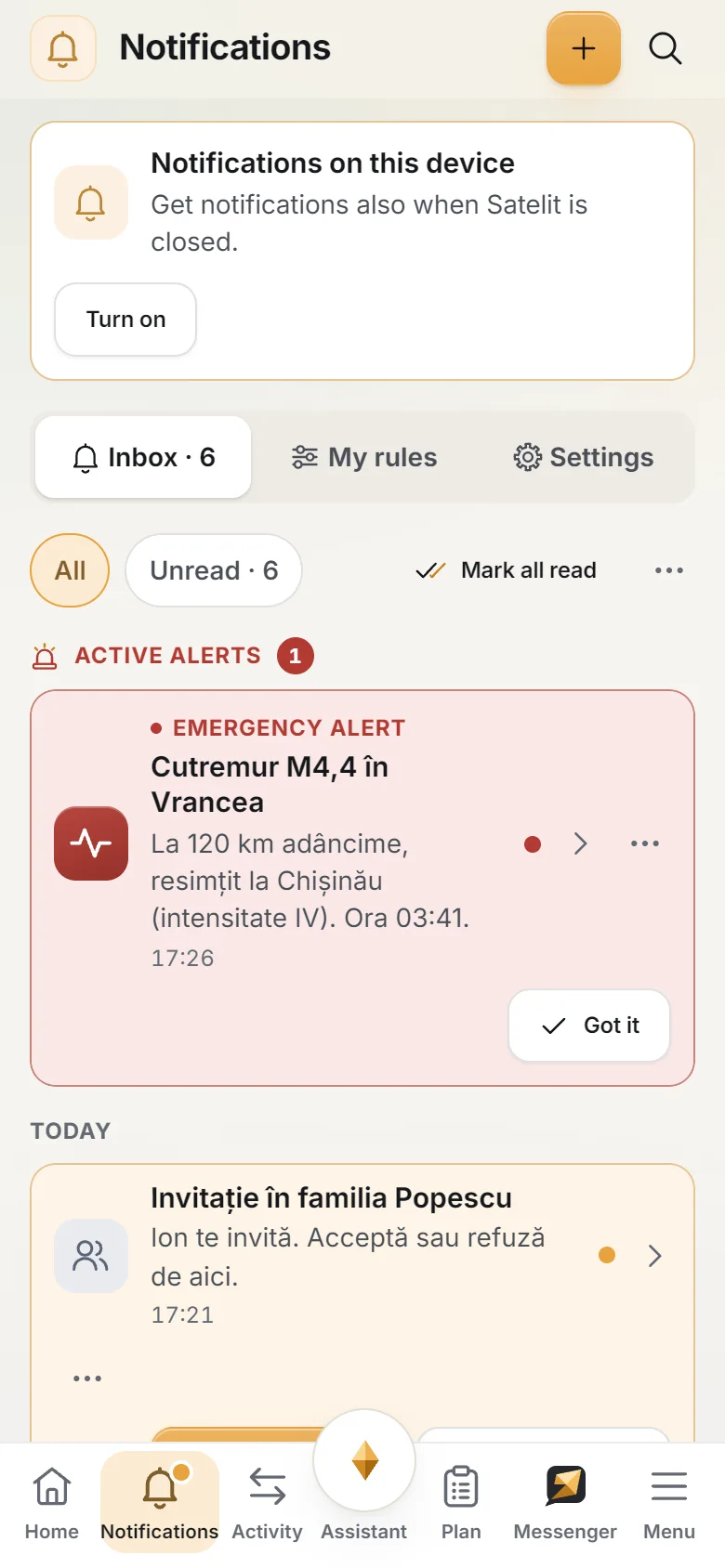
The screen has three tabs: Inbox, My rules and Settings.
How do I turn on notifications on the phone?
Notifications on the device need to be allowed only once.
- Open Notifications → Settings.
- Under Notifications on this device, tap Turn on.
- Accept the browser's or the phone's prompt.
- Tap Send a test to check. The test appears within a few seconds.
On iPhone and iPad, notifications work only from the installed app: in Safari tap Share, then “Add to Home Screen”, and open Satelit from there.
How do I make a new rule?
A rule says what you want to hear about and how we tell you. One person can have at most 50 rules.
- In Notifications, tap New rule.
- Under What you want to hear about, choose the source: for example Prices, Deals, News, Drones, Earthquakes, Reminder or alarm.
- Under What you follow you fill in the details, and under What you would have got you see examples from past days.
- Under How we tell you you choose In the app (always), Notification on the device, Email and how often: At once, Daily or Weekly.
- Tap Save the rule.
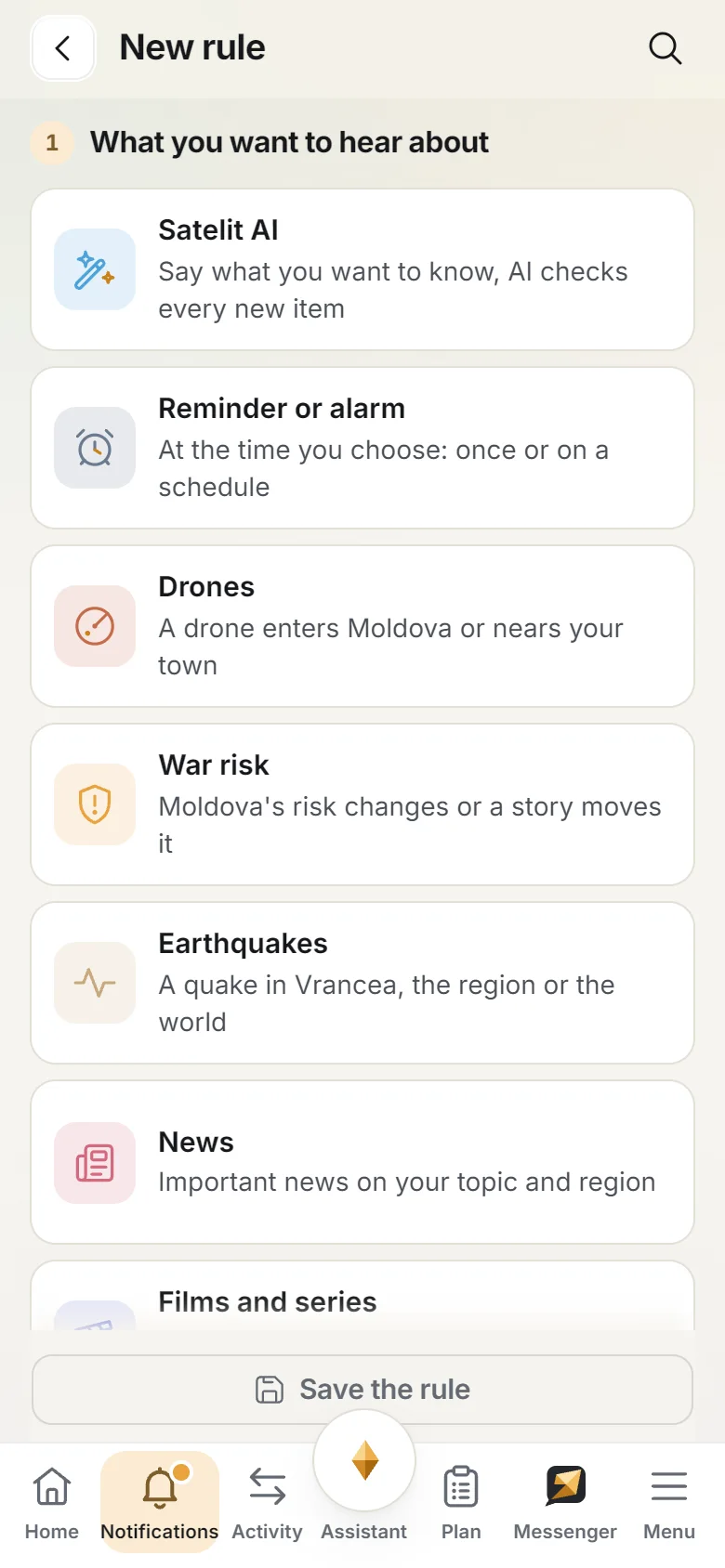
Under Limits: hours, days, end you can have the rule notify only at certain hours or on certain days, until a date or Only once.
How do I get earthquake alerts?
Satelit has two kinds of earthquake news.
The Earthquakes rule tells you once the seismic networks locate the quake, usually within minutes. The steps are above, under “How to turn on earthquake alerts”. The notification gives the magnitude, the depth, the distance from Chișinău and the estimated intensity in Moldova.
The early alert is for deep earthquakes in Vrancea, the ones felt in Moldova. Satelit detects the quake in the first seconds and sends an emergency notification, for example “Earthquake in Vrancea, M ≈ 5.0”, with the text “The wave reaches Chișinău in about … s. Estimated intensity: … Preliminary estimate.” Members of families on Family Plus or Family Max get it when it is estimated to be felt in any town in Moldova.
What you need to know about the early alert:
- It works only for deep earthquakes in Vrancea. A shallow earthquake near Moldova or one from another zone has no early alert.
- The magnitude and the seconds are estimates. If the data after the first seconds do not confirm the quake, you get “The earthquake alert was cancelled”.
- The notification arrives as fast as the phone's notification service delivers it.
- It is not an official warning system and does not replace any.
Recent earthquakes and statistical probabilities are also on satelit.md, on the Earthquakes page.
How do I get drone alerts?
The Drones rule tells you when a drone enters Moldova or approaches a chosen place. It is free for anyone with an account.
- New rule → Drones.
- Under Where, choose All of Moldova, A town or Where I am. The phone's location is used only once.
- Under How close, choose the radius, and under Tell me ahead, how many minutes before it arrives, or Only when near.
- Tap Save the rule.
Drone alerts come at once, also in quiet hours. Positions are estimates from live reports and may be delayed; an empty map does not mean there is no danger. Follow the authorities' guidance.
What are quiet hours?
Quiet hours is the window in which Satelit sends no notifications to the device, by default between 22:30 and 07:30, Chișinău time. In the Inbox they appear at once; on the phone you get them when the window ends, and when there are more than three, a single summary comes.
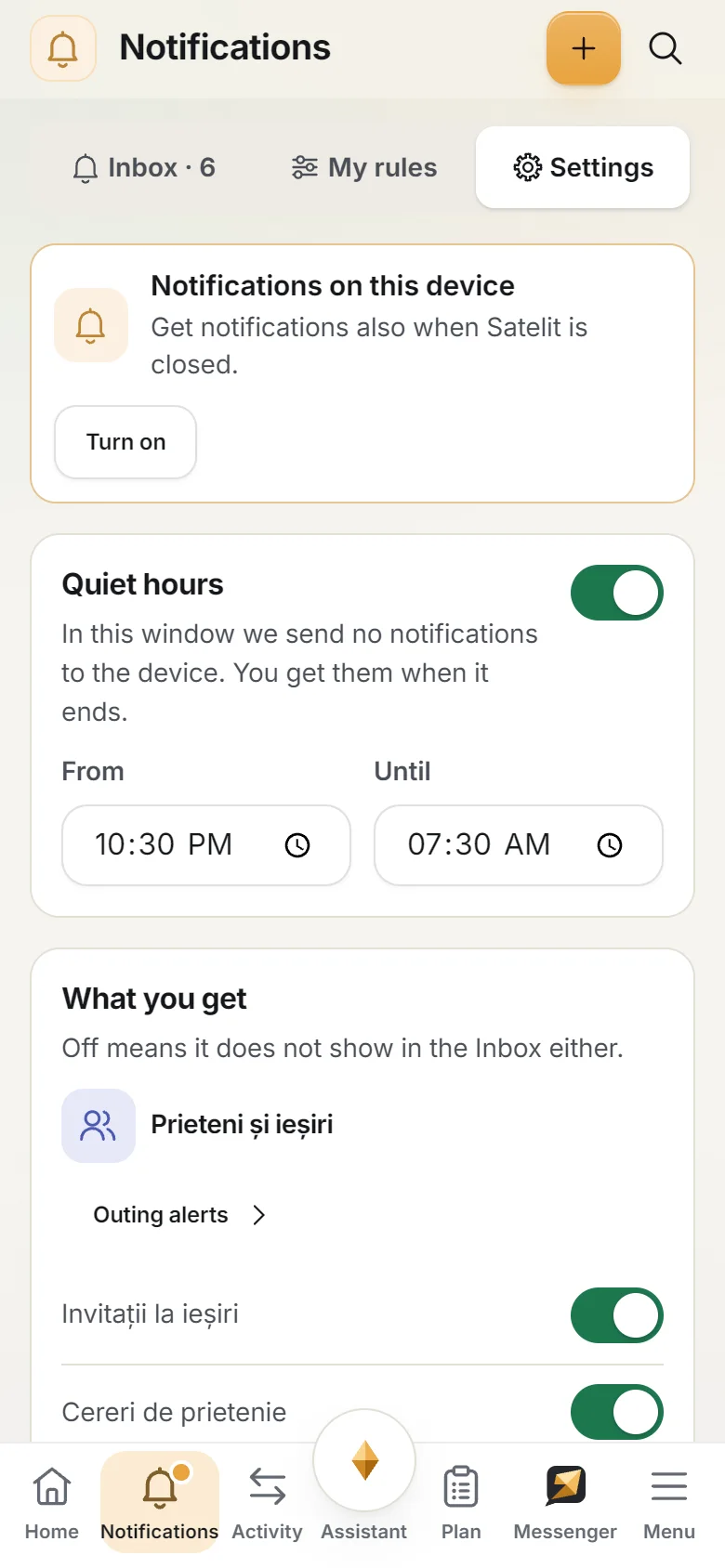
You change the hours in Notifications → Settings → Quiet hours, with From and Until. Only emergency alerts pass through quiet hours: the earthquake alert, drones, reminders at the chosen time and rules with Emergency alert.
How do I make an alert sound on Do Not Disturb too?
In the Satelit apps for Android and iPhone, an Emergency alert appears full screen, with an alarm sound. In the browser it comes as an ordinary notification.
- Android: under Emergency alerts, turn on Full volume and Ignore Do Not Disturb; the phone asks for Do Not Disturb access for Satelit. Tap Check the alert to run a test.
- iPhone: the alert passes Focus and Do Not Disturb as a critical notification; the iPhone asks once. The iPhone chooses the volume, Satelit cannot force it.
If something goes wrong
I get nothing on the phone
If you see “Blocked in the browser”, open the site's settings from the address bar and allow notifications. On Android, also check that Satelit notifications are on in the phone settings.
The alert does not sound when the phone is on Do Not Disturb
The message “Without Do Not Disturb access, alerts stay silent while Do Not Disturb is on.” means the permission is missing. Turn on Ignore Do Not Disturb and accept the phone's request.
I do not get the early earthquake alert
The early alert comes only to families on Family Plus or Family Max and only for deep earthquakes in Vrancea. For other earthquakes, make an Earthquakes rule.
Some notifications arrive in the morning
They were in quiet hours. Change the hours in Settings or choose Emergency alert for what must sound at once.
Frequently asked questions
Does Satelit warn me before an earthquake?
No one can tell in advance the day or hour of an earthquake. For deep earthquakes in Vrancea, Satelit detects the quake in the first seconds and sends an alert before the shaking wave reaches Moldova, to families on Family Plus or Family Max.
Does the earthquake alert replace official alerts?
No. The Satelit alert is a preliminary estimate and does not replace any official warning system. Follow the authorities' guidance.
Are drone alerts paid?
No. Drone rules are free for anyone with an account, for all of Moldova, a town or your location.
What are quiet hours?
They are the window in which Satelit sends no notifications to the device, by default 22:30-07:30. You get them when the window ends; emergency alerts come at once.
Does the alert sound if the phone is on Do Not Disturb?
In the Android app, yes, if you turn on Ignore Do Not Disturb and give Satelit access. On iPhone the alert passes Focus and Do Not Disturb as a critical notification, and the iPhone chooses the volume.
How many notifications can I get?
Ordinary notifications on the device are at most 6 per hour and 30 per day. Anything over the limit stays in the Inbox.
Read next
- Satelit AI: the assistant and voiceWhat Satelit AI can do with the family's money, lists and prices, how you talk to it, what needs your confirmation and how plan tokens are used.
- Family, boards and rolesHow to invite members to the family or a board, what the Owner, Admin, Member and Viewer can do, and how to add a child to the family.
- Money and budgetsHow to record spending and income in Satelit, add accounts, set a monthly budget and category limits, and read your reports.