Health: the family's health data
In short
Health is the part of Satelit where you keep water, meals, weight, blood pressure, lab tests and medical documents, for you and for the people you care for. Data is private by default and encrypted with a separate key for each card. You fill it in by hand, with the assistant or from Apple Health and Health Connect, on your phone.
What is Health?
Health is the part of Satelit for the family's health data. Here you keep water, meals, weight, blood pressure, sleep, medicines, lab tests and medical documents. Each person has a card: yours (“Me”), those of the people you care for (“I care for”) and those shared with you (“Shared with me”).
Health does not diagnose and does not work out doses. For a decision, ask your doctor.
If you do not see Health in the menu, the section is not yet open for your account.
How do you start using Health?
The steps are in the guide above. Before anything else, the “Your health, under your key” screen tells you clearly what happens to your data. Nothing is saved until you tap “I agree”.
On the phone, the fastest way is “Connect Apple Health” or “Connect Health Connect”: height, weight, steps, sleep and heart rate come in by themselves, and the guide asks only what is missing.
What do you see on a card?
A card has several screens, at the top:
- Today: the day's rings (water, calories, steps) and the chosen modules.
- Timeline: everything recorded, with search and filters by category and year.
- Charts: values over time.
- Sharing, Connections and Settings: only for the card's owner.
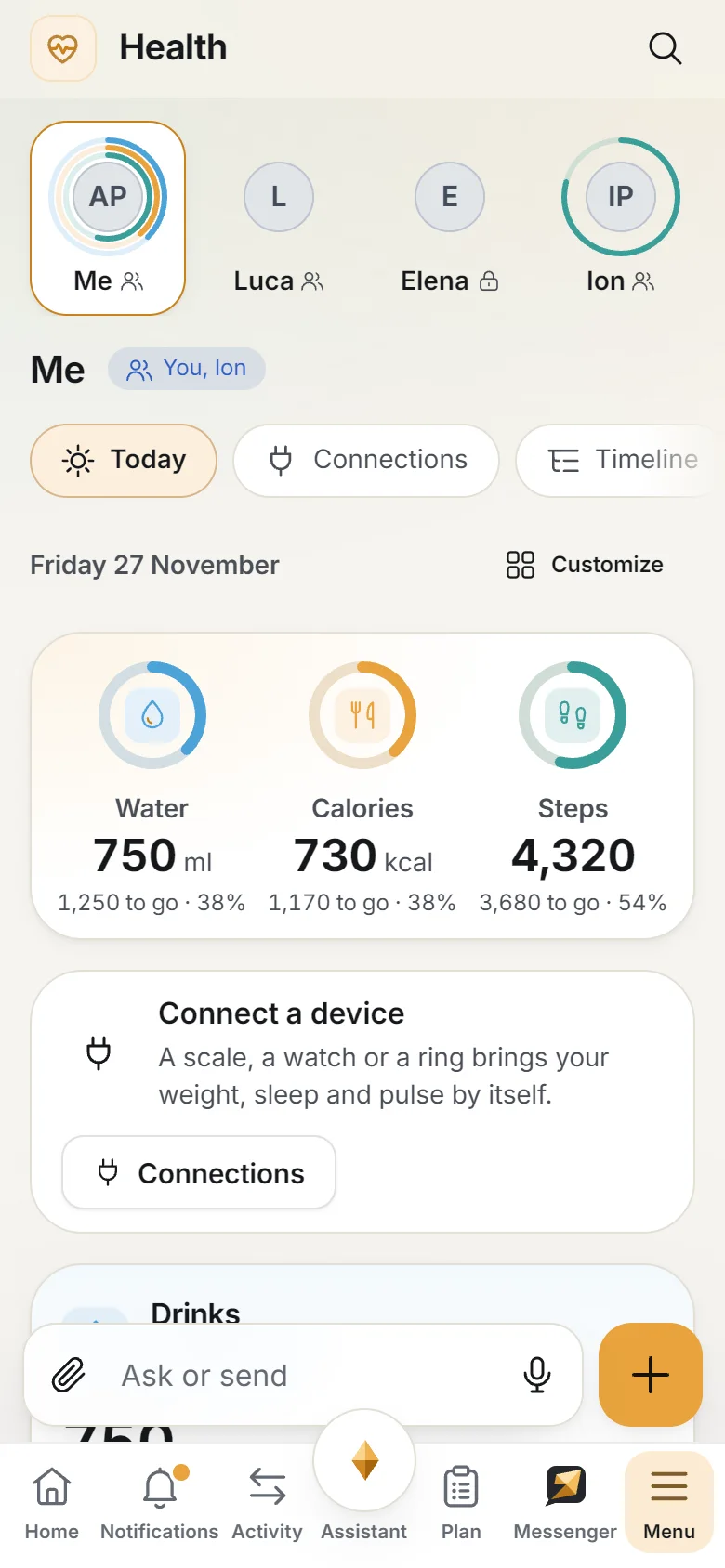
Modules are chosen per card: Drinks, Food, Body, Vitals, Activity, Sleep, Medicines, Lab tests, Medical history, Visits, Documents, Symptoms, Mood and others. Cycle and Pregnancy appear only on a woman's card. Feeding, Diapers, Growth, Vaccines and Milestones appear on a child's card.
The Add button records a new value. You leave a PDF from the lab on the card, and the values read from it are marked “To check” until you confirm them.
How do you connect Apple Health or Health Connect?
Apple Health (on iPhone) and Health Connect (on Android) connect only from the Satelit app on the phone, and only to your own card.
- Open Health in the app on your phone.
- Choose Connections.
- Under Phone, tap Connect.
- The phone shows you the list of data types. Tick only what you want to bring in.
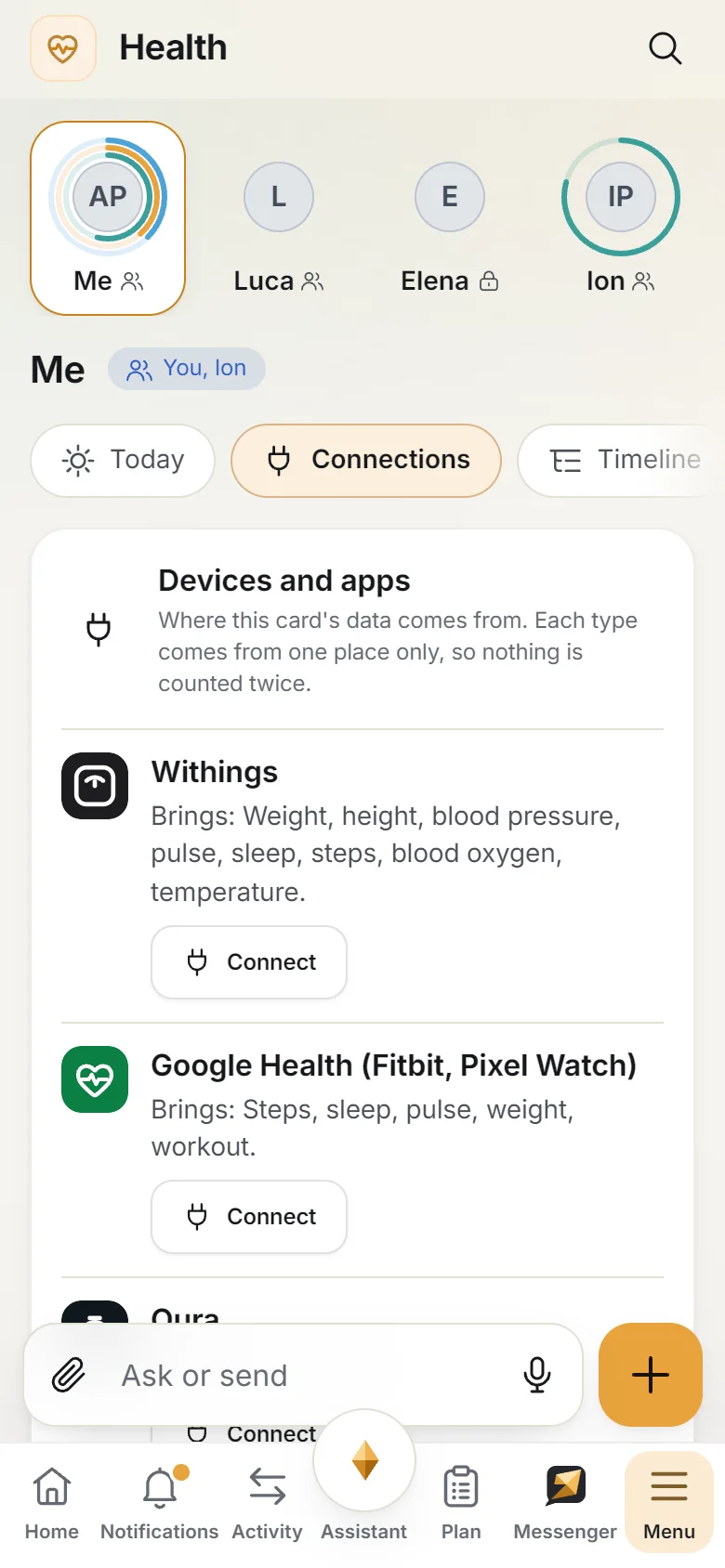
Satelit can read 13 types: water, weight, height, calories from meals, blood pressure, heart rate, blood glucose, temperature, blood oxygen, menstruation, steps, sleep and workouts.
On the phone, Satelit writes back only what you enter by hand on your own card, for the allowed types. Steps, sleep and workouts are read only. Other people's cards are never written to your phone. You can withdraw permissions at any time in the phone's settings.
How do you bring in data from a file?
Under Connections → “Import from a file” you send the export from your app, with no connection at all. For Apple Health: on iPhone, Health → your profile picture → Export All Health Data, then send export.zip.
- The file can be at most 300 MB and is not kept after the import.
- By default the last 2 years are brought in; tick “Whole history” for everything.
- Days that already come from another source are not duplicated.
How do you share a card?
A card is private until you share it.
- Open Sharing and tap Share.
- Who: choose a person from the family who has an account.
- What: choose the categories. Cycle, pregnancy, medical history and mood are sensitive and need an extra confirmation.
- How: “Ongoing” (they also see what you add from now on) or “Once” (only what exists now, read only, for 30 days). You also choose whether the person only views or cares for the card.
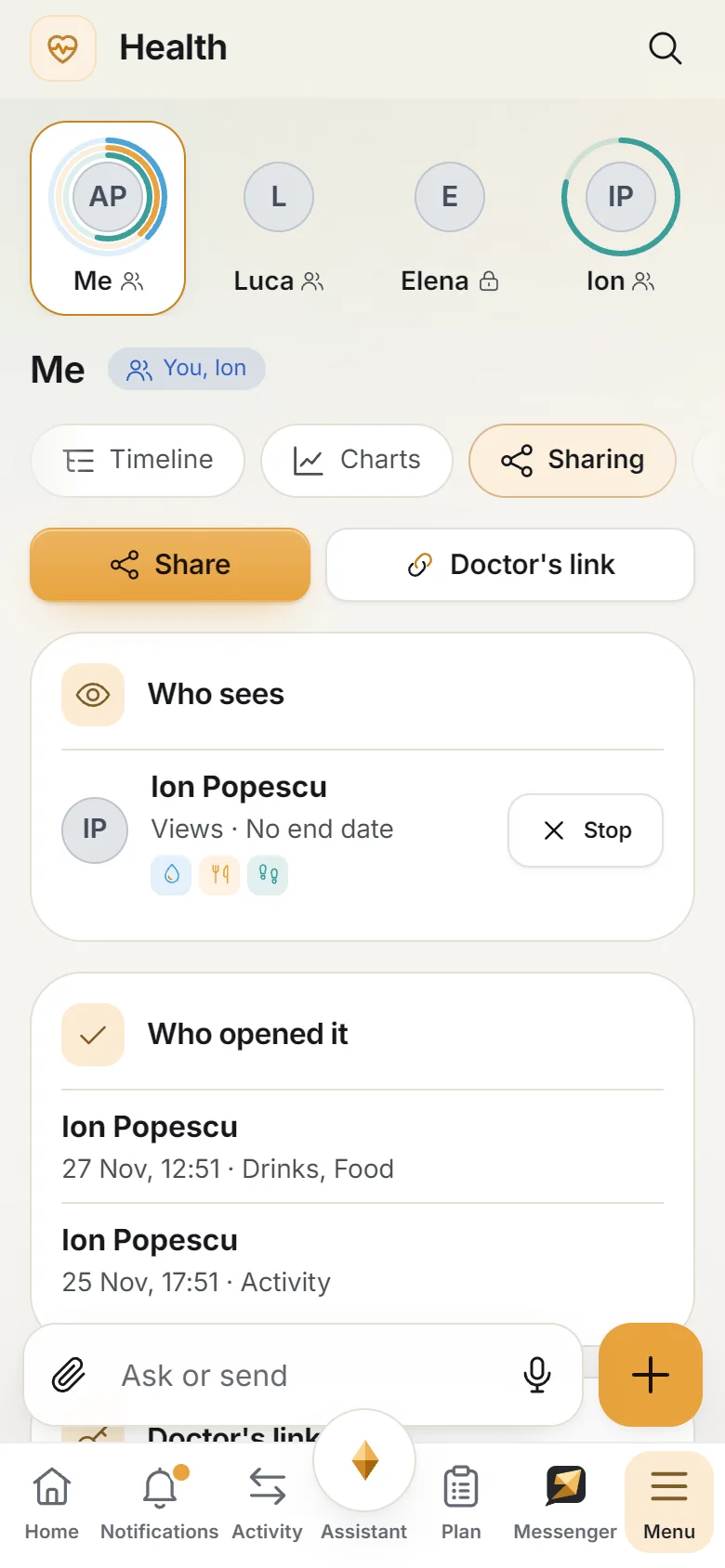
In “Who sees” you stop any sharing with one tap. In “Who opened it” you see who read the card.
For a doctor you make a Doctor's link: valid for 24 hours or 7 days, with an optional PIN of 4–6 digits that you tell them separately. The doctor sees a read-only sheet they can print. The link expires by itself.
How is the data protected?
- Private by default. Nobody else sees anything until you share it.
- Encrypted. Each card has its own key; values are never stored in clear on the server.
- Never in ads. Health data never goes into ads, recommendations or model training.
- Data brought in by services (Google Health, Withings, Oura, Polar, Strava) never reaches any AI model.
- It is yours. Export or delete it at any time, documents included.
On the lock screen, Health widgets show only the neutral face by default. On Apple Watch, Health always appears as on a locked phone. You change this in Settings → “Privacy”: “On the lock screen” (Hidden, Neutral, Full) and “Notification text” (Neutral, Full). See also Widgets and complications.
If something goes wrong
I do not see Health in the menu
The section is not yet open for your account. You have not lost anything: when it opens, it appears in the menu.
It says “Health Connect is missing on this phone or needs an update”
Tap “Install Health Connect”, update it from the store, then try connecting again.
It says “You allowed no type of data”
You closed the permissions list without ticking anything. Tap Connect again and tick the types you want, or choose “I will fill it in”.
The import says “The file is over 300 MB”
Export less history from your app or split the archive, then send the .zip file again.
It says “You can only view this card”
The card's owner gave you only the right to view. Ask them to make you a carer for the categories you want to write in.
Frequently asked questions
Who sees my data in Health?
Only you. Your card is private until you share it, by category, with whom you want and for how long. In “Who opened it” you see who read the card.
Does my health data reach ads or artificial intelligence?
Health data never goes into ads, recommendations or model training. Data brought in by services such as Withings, Oura or Google Health never reaches an AI model.
Does Health make diagnoses?
No. Health does not diagnose and does not work out doses. For a decision, ask your doctor.
Can I connect Apple Health from the browser?
No. Apple Health and Health Connect connect only from the Satelit app on the phone. From the browser you can import the export from Apple Health, as a .zip file.
Can I keep a card for my child or my grandmother?
Yes. Tap “New card” and choose for whom: a child, an adult or an older person without an account. You are the card's owner.
What do others see on the phone's lock screen?
By default, Health widgets show only the neutral face on the lock screen. You choose “Hidden”, “Neutral” or “Full” under “On the lock screen”, in Settings.
Read next
- Satelit for iPhone and iPadWhat the Satelit app does on iPhone and iPad: alerts that get past silent mode, Siri, widgets, Apple Health, a list that opens in the store.
- Satelit for Android and Wear OSWhat the Satelit app does on an Android phone and a Wear OS watch: widgets, emergency alerts, waking to “Satelit”, the phone's assistant.
- Privacy and securityHow Satelit protects shop passwords, requests between the app and the server, and your account: who sees what in the family, devices, 2FA, passkeys.
- Widgets and complicationsHow to add Satelit widgets on iPhone, iPad, Android, Mac and Windows and complications on Apple Watch, what each shows and how amounts stay hidden.