Messenger Satelit: encrypted messages and calls
In short
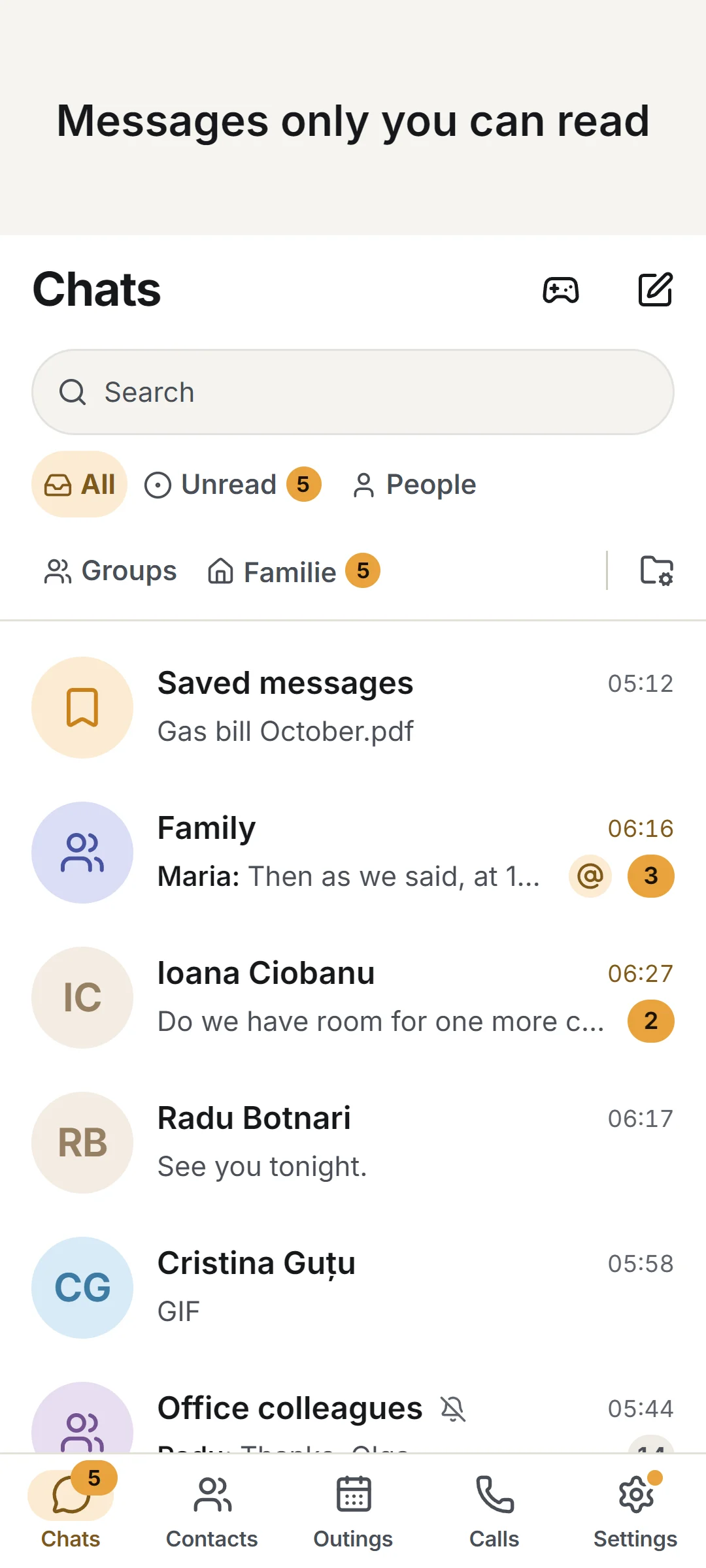
Messenger Satelit is Satelit's messaging app: chat, groups, audio and video calls and files, encrypted on your device, so that the server cannot read them. It opens free at messenger.satelit.md with a Satelit account, without a phone number, and exists as an app in the App Store for iPhone, iPad and Apple Watch.
What is Messenger Satelit?
Messenger Satelit is Satelit's messaging app, with chat, groups, audio and video calls, voice messages and files, encrypted on your device. It has its own address, messenger.satelit.md, separate from the rest of Satelit: Messenger data does not reach the rest of the app, and the rest of the app cannot read it.
The account is your Satelit account. It is created with an email address, without a phone number, and it is free.
Which devices does it work on?
Today, Messenger Satelit works in the browser, on any phone or computer, and as an app on iPhone, iPad and Apple Watch.
- Browser: you open messenger.satelit.md. You can install it as an app from the browser menu.
- iPhone, iPad, Apple Watch: the Messenger Satelit app from the App Store.
- Mac, Android, Wear OS, Windows, Linux: on the satelit.md apps page they carry the “Coming soon” label.
In the Satelit app, Messenger also opens from the main menu.
What does “end-to-end encrypted” mean?
End-to-end encryption means that the message is locked on your phone and unlocked only on the phones of the people in the conversation. On the way, and on the Satelit server, the message is just a string of bytes that nobody can read.
Think of an envelope with a padlock. Only you and the people in the conversation have the keys. The server carries the envelope, but has no key.
What the server sees:
- encrypted messages waiting, until all devices receive them;
- who is in which conversation and the day something happened, not the hour;
- the devices' public keys.
What it never sees:
- the text, photos, files and calls;
- the names and photos of groups;
- private keys and the recovery code;
- who in a conversation sent a particular message.
The encryption uses the MLS standard (RFC 9420) with post-quantum protection (X25519 together with ML-KEM-768): what is recorded today stays locked even if a quantum computer exists later.
How do I check that I am talking to the right person?
Every one-to-one conversation has a “Safety number”. You compare it with the other person, face to face or on the phone. If it is the same, nobody stands between you. You can also scan the other person's QR code.
If a contact's identity changes, Messenger stops sending messages to them until you accept the change.
How do I make a call?
Audio and video calls are encrypted like messages and hold up to 8 devices.
- Open the conversation with the person or the group.
- Tap the audio or video call button.
- During the call you can turn off the microphone or the camera and share your screen.
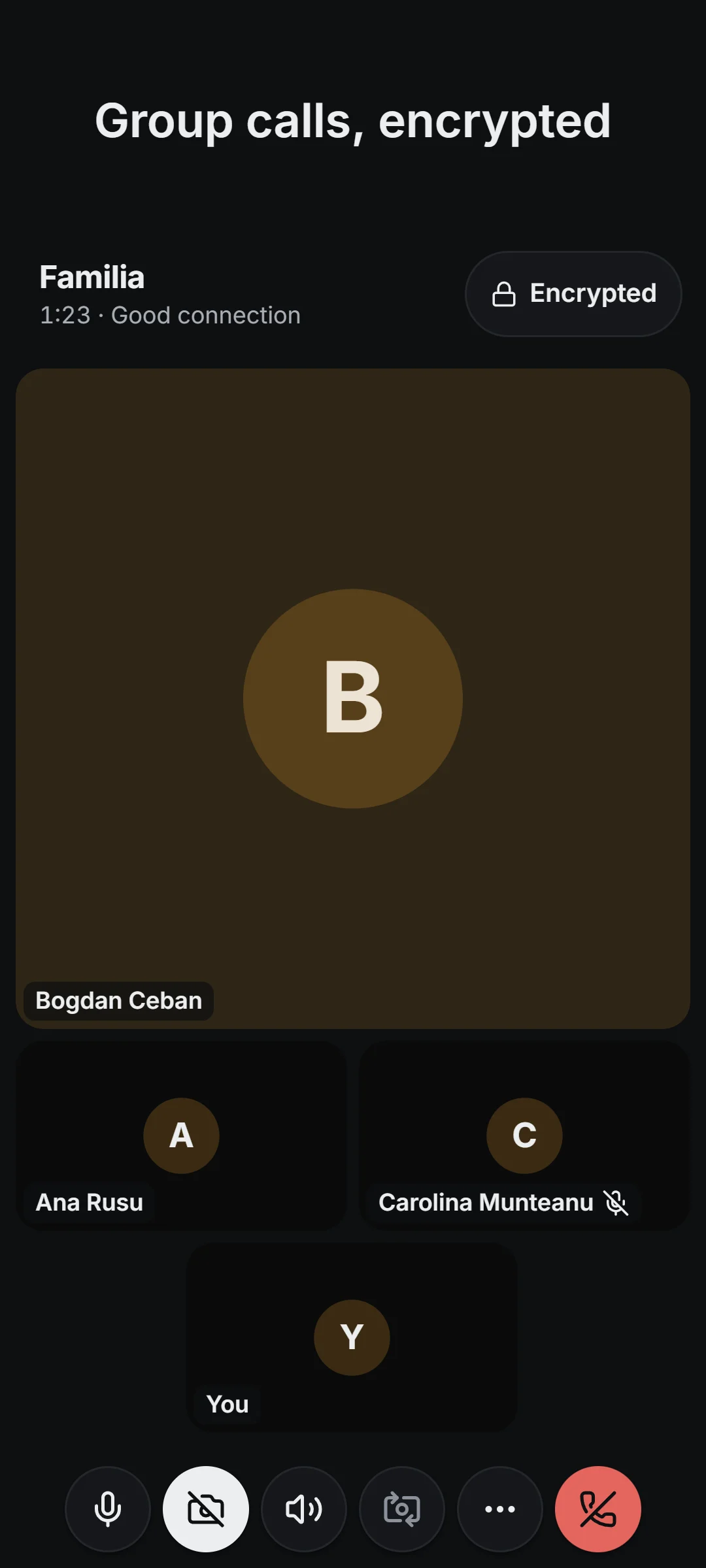
In a group call, whoever is speaking gets the large window. The call has a 4-word code: read it to each other; if it is the same, nobody stands between you.
How do I send files?
Files go directly from one device to another, without a copy staying on the server. Photos, voice messages and short videos wait encrypted on the server, so they arrive even when the other person's phone is off; they are deleted when all devices have received them, after 14 days at most. A setting makes everything go directly, from device to device.
What is the recovery code?
The recovery code opens your identity on a new device. It is made on your device, shown only once and never reaches Satelit.
- At the first start, Messenger shows you “Your recovery code”.
- Keep it: “Download”, “Copy”, “Print” or “Email it”.
- Enter the last group of 4 characters, to confirm you have it.
Without the code and without another device, nobody can recover access, not even Satelit. A new code disables the old one.
How do I add a new device?
A new device is added with a QR code from a device where you already have Messenger. Each device has its own keys, and you can remove it at any time in Settings.
- Open Messenger on the new device. The screen shows a QR code.
- On the old device, open Settings → Devices → Add a device.
- Scan the code on the new device.
- Tap “Yes” only if the new device, next to you, shows the same verification words.
The old device sends the conversations to the new one, encrypted. The code is valid for 10 minutes, once.
If something goes wrong
The conversations are empty on the new device
Messages come only from a device that is already signed in or with the recovery code. Keep the old device on and connected while the new one is being added.
It says “This code was already used”
Each code works only once and for 10 minutes. Make a new one on the other device and scan it again.
I cannot send to a contact
The contact's identity has changed, for example because they started on a new device. Check the “Safety number” together, then accept the change.
I have lost both my phone and my recovery code
You can start again with a new identity. Old messages stay locked, and the people you talk to see that your identity has changed.
Frequently asked questions
Does Messenger Satelit cost money?
No. Messages, calls and files are free, with a Satelit account. The account is created with an email address, without a phone number.
Can anyone at Satelit read my messages?
No. Messages are encrypted on your device and open only on the devices of the people in the conversation. The server does not have the keys and there is no administrator path that can read a conversation.
What do I do if I lose my phone?
You open Messenger on another device with the recovery code or with another device that is already signed in. Without the code and without another device, nobody can recover access, not even Satelit.
How many people can be in a call?
An audio or video call holds up to 8 devices, one to one or in a group, encrypted like the messages.
How long does the server keep messages?
An encrypted message stays on the server only until all devices receive it, for at most 30 days. Photos and voice messages stay encrypted for at most 14 days.
Does Satelit AI read the conversations?
No. The assistant answers only when you write @satelit and receives only the messages you choose; everyone in the conversation sees that line.
Read next
- Privacy and securityHow Satelit protects shop passwords, requests between the app and the server, and your account: who sees what in the family, devices, 2FA, passkeys.
- Satelit for iPhone and iPadWhat the Satelit app does on iPhone and iPad: alerts that get past silent mode, Siri, widgets, Apple Health, a list that opens in the store.
- The web app app.satelit.mdHow to use Satelit in the browser at app.satelit.md, how to install it on your phone's or computer's home screen and how it updates itself.
- Family, boards and rolesHow to invite members to the family or a board, what the Owner, Admin, Member and Viewer can do, and how to add a child to the family.